Tuesday, 31 December 2019

Xiaomi's latest fitness tracker doesn't look like one at all

The Mijia Quartz Watch doesn't look like your average fitness tracker, but it is hiding a lot of smarts.

Xiaomi is known primarily for its phones, but the Chinese brand is the second-largest wearable manufacturer in the world. That's down to its affordable line of fitness bands under the Mi Band label, but that's not all Xiaomi makes. It introduced a full-fledged smartwatch last month, and over the years it has launched a few hybrid wearables, like the Mijia Quartz Watch.

As a refresher, Xiaomi uses Mijia branding for devices it sells under its smart home and lifestyle portfolio. These include everything from action and security cameras to razors, desk lights, cordless vacuums, home automation tech, and much more.

Like every other product that Xiaomi makes, affordability is a key trait here. The Mijia Quartz Watch retails for under $50, making it an enticing option if you're looking for a fitness band disguised as a regular watch.

Xiaomi Mijia Quartz Watch

Bottom line: The Mijia Quartz Watch combines classic styling with fitness tracking capabilities, making it an enticing option if you want a fitness tracker that looks like a regular watch. It automatically syncs time with your phone, you can set activity alerts and hourly reminders, and you'll get six months of usage from the battery.

The Good

  • Minimal design
  • Great value
  • Accurate fitness tracking
  • Six-month battery life
  • 3ATM water resistance

The Bad

  • Limited availability
  • Pairs with Mi Home and not Mi Fit

$40 at AliExpress

Xiaomi Mijia Quartz Watch What feels great

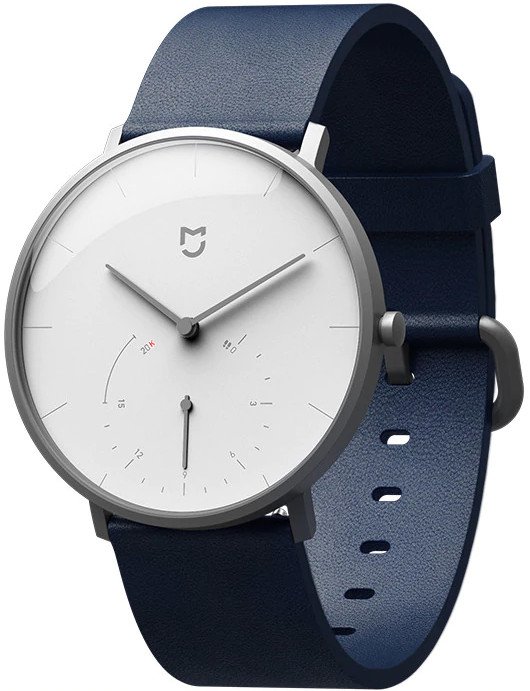
The Mijia Quartz Watch looks like a regular watch; in fact, it's hard to tell from a first glance that it can be used for fitness tracking. The design is what sets the watch apart from other fitness trackers, and in this area, Xiaomi is channeling Withings. If you've ever used a Withings watch or even looked at one before, the Mijia Quartz Watch has the same design aesthetic with clean lines and a focus on simplicity.

The Mijia Quartz has a 40mm stainless steel case with a two-hand dial displaying the time in hours and minutes. There's a secondary dial at the bottom with a single hand that tracks daily activity, with the step counter going up to 20,000. The bundled blue band is made out of leather, and you can switch it out if you're interested in using steel links. You can also use any 20mm strap with the watch, and switching out the bands is as straightforward as removing the lugs.

The front of the glass is coated to provide adequate protection against the usual wear and tear, and it also has a coating to resist fingerprint smudges. Xiaomi sells the Mijia Quartz Watch in three options — the black and grey models have matching dials and straps, and the blue variant pictured above has a white dial with a blue leather band. This is the variant that I like the most, and the classic styling goes with a wide range of outfits.

The Mijia Quartz Watch automatically syncs time with your phone, and you get detailed fitness data on the Mi Home app.

The minimalist design extends to the buttons as well, and there's a single button on the right side that's used for pairing the watch with your phone. All you need to do is press the button for five seconds, and the watch goes into pairing mode. Once it's paired, it sets the time to match that of your phone, and the best part about this is that it syncs time automatically, so even if you're traveling, you don't need to manually adjust the time on the Mijia Quartz Watch.

The watch features a motion sensor to track daily activity, and when used side-by-side with a Fitbit Alta HR, it provided nearly identical data. You'll be able to access daily activity statistics as well as activity history from the Mi Home app, and you'll also be able to see calories burned and distance covered. You also have the option of setting hourly activity reminders, with the watch vibrating to notify you to get up and move.

Pairing and syncing data with your phone is done over Bluetooth 4.0 LE, and the watch is powered by a CR2430 battery that lasts up to a year. Not having to worry about charging the watch is liberating, and makes the Mijia Quartz that much more enticing.

Xiaomi Mijia Quartz Watch What feels off

The main issue with the Mijia Quartz Watch is that it doesn't pair with Xiaomi's Mi Fit app. You'll instead have to use the Mi Home app, which is used for smart home products.

You'll have to use the Mi Home app to sync activity from the Mijia Quartz Watch.

The Mijia Quartz is the only Xiaomi wearable that connects to Mi Home, and that's puzzling when you consider the fact that all four Mi Bands, older Amazfit smartwatches, Xiaomi's smart scales, and smart shoes all pair with Mi Fit. Having to use a different app to sync data is irksome, but Mi Home provides the same statistics as Mi Fit.

Honestly, there's little else that's wrong with the watch. You do have to unscrew the back to switch out the battery once every year or so, but that is also straightforward and shouldn't take more than 10 minutes.

Xiaomi Mijia Quartz Watch Should you buy it?

The Mijia Quartz Watch is one of the best fitness trackers around if you're looking for a device with a minimal design aesthetic. Yes, Xiaomi is essentially copying Withings' design here, but the quality on offer is better than what you get with a Withings Move, and you're paying just over half the price.

The 3ATM water resistance means you can take it to the pool without any issues, and the best part about it is that you don't need to charge it weekly or even monthly. That makes it a standout product, and the fact that you can pick it up for $40 is a steal for what you're getting here.

4 out of 5

If you're in the market for a fitness tracker that you can wear with any outfit, the Mijia Quartz Watch is an ideal choice. You won't need to charge it, and you get detailed activity data as well as hourly reminders in a design that looks fantastic.

Xiaomi Mijia Quartz Watch

$40 at AliExpress

A fitness tracker that you can wear anywhere.

The Mijia Quartz Watch combines classic styling with fitness tracking capabilities, making it an enticing option if you want a fitness tracker that looks like a regular watch. It automatically syncs time with your phone, you can set activity alerts and hourly reminders, and you'll get six months of usage from the battery.


from Android Central - Android Forums, News, Reviews, Help and Android Wallpapers https://ift.tt/2STak03


What Did You Love in 2019 Tech?

2019

The final countdown has begun to 2020, with hours remaining until you fall asleep early and fail to stay up until midnight to ring in the new year. So to finish on a productive note these last few moments and be able to say that you did something, we have one task for you: tell us what you loved in tech from 2019.

Yesterday, I mentioned that I thought the phone scene wasn’t as exciting as it had been in previous years, but that’s not to say there wasn’t great tech released over the past 12 months.

I keep saying that the Galaxy Fold was awesome because I truly believe that. A $2,000 phone with a laundry list of issues was my favorite piece of tech from the year. That makes almost no sense, I know, particularly when you consider that I won’t even fork out the cash for one. It’s the device I wish I had right now instead of this Pixel 4 XL, yet I know so much is wrong with it that I refuse to invest. Coward, Kellen.

2019 also brought us Google’s vision of a budget phone, the Pixel 3a. It’s a hell of a value and a great phone for those not interested in spending $1,000 on a piece of tech that probably won’t be updated regularly for long. The Pixel 3a has that camera we love from Google, that clean software, and is a joy to use because it’s made of plastic. That’s not sarcasm.

We finally got a really good smartwatch.

Samsung sped up updates. OnePlus got even quicker.

Google now lets us simply shout “Stop!” at timers now instead of “Hey Google, stop. HEY GOOGLE, STOP. GOOGLE, F*CKING STOP.” That might be the biggest win of the decade.

That sweet Project Soli tech from Google made it into a phone, even if it is partial-baked and probably will never be as cool as originally shown.

Disney+!

What else? What did you live in 2019 tech?

What Did You Love in 2019 Tech? is a post from: Droid Life


from Droid Life https://ift.tt/2QDNyXf

What to expect in the Android world in 2020: Foldables, 5G and more

Another year of Android fun awaits.

We just spent a considerable amount of effort covering all of the milestones of the past decade, but now it's time to look forward to 2020. The Android world always keeps us on our toes with tons of variety and innovation coming from unexpected places, and the start of a new year gives us an opportunity to speculate where it's all headed. These are the trends and changes I'm expecting in the coming year.

Foldable phones (for real this time)

2019 was supposed to be the year where foldable phones entered the mainstream. It didn't happen. The Galaxy Fold failed and re-launched after it had lost all momentum, and the Huawei Mate X never really launched in the first place. And so, we look forward to 2020 as the real start of foldables.

Not only will we see more foldables, we'll see a wider variety of designs.

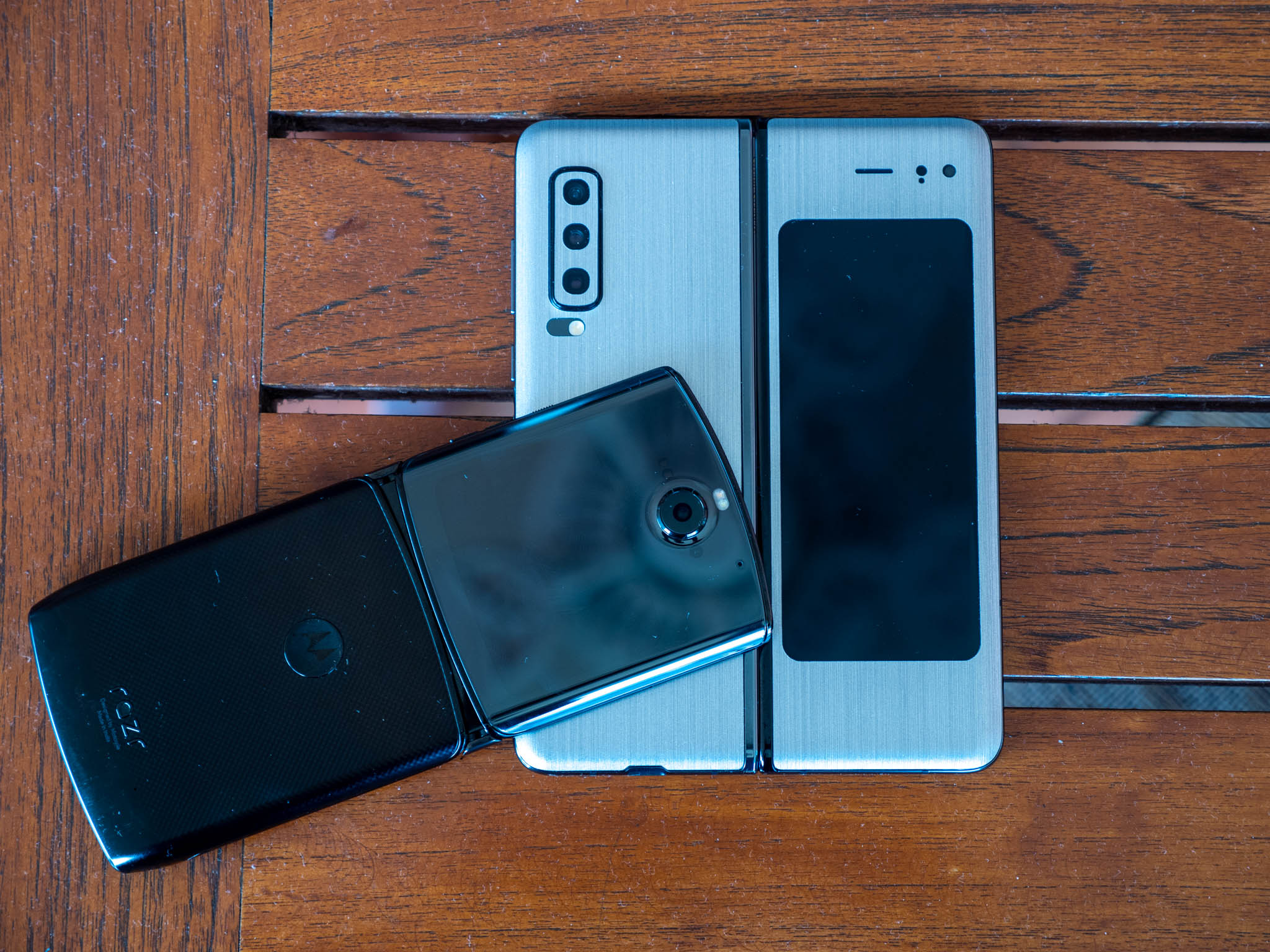
The year will kick off strong with the new Motorola RAZR, which is not only a foldable but also the first clamshell-style foldable to immediately give the market some diversity from the tablet-style foldables we've seen. And all indications are Samsung has its own second-gen foldable with a similar clamshell-style design, and we know TCL (among others) is experimenting with a variety of display and hinge designs to bring different shapes and sizes of foldables to market.

These early foldables will still, of course, be riddled with compromises. There's still an incredible amount of complexity involved with making a phone that can repeatedly be folded and unfolded — both in the screen and everything underneath it. But this year will at least give us an opportunity to experience these foldable phones and start to better understand what they're all about.

Fewer ports, buttons and openings

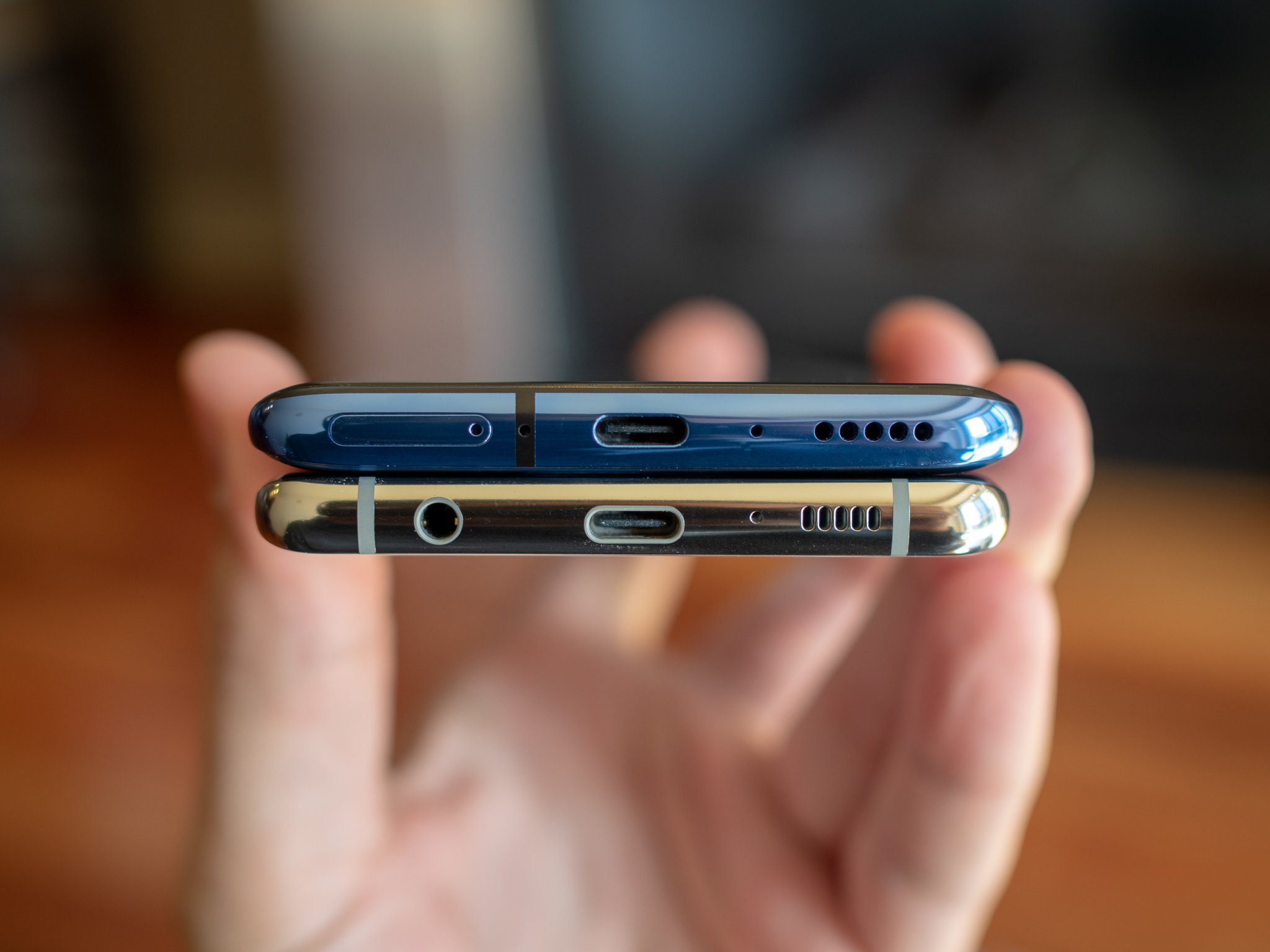
It's already no secret that smartphone companies want to simplify their hardware; hardware complexity is one of the biggest reasons why foldables are tough to make and incredibly expensive right now. Making unibody phones without removable batteries a handful of years back was a big step, but there's much more to do. The headphone jack is just about gone for good, and phones no longer have separate trays for SD card slots, but now we're going to start seeing phones without a SIM card slot either as they go all-in on eSIM.

Companies will do everything they can to remove hardware complexity.

We've already seen some phones drop traditional volume and power buttons entirely, with different solutions and mixed results. But this is the holy grail for hardware makers — the fewer openings, and fewer moving parts, you have in your phone the better. Whether it's pressure-sensitive "buttons" like HTC tried, or full-on capacitive areas, we're bound to see phones shift away from traditional clicking buttons.

The time of true stereo speakers was short, but we're going to start getting even further from it as companies once again try to simplify their hardware designs. Using a single speaker at the top of the phone for both phone calls and speakerphone is a start, but we also see innovative solutions with bone conduction and using the display panel as a speaker. A phone's audio quality is less and less defined by the number of "speakers" and their size and placement — it's going to be much more nuanced than that in 2020.

In a move that may initially feel more complex, companies are also reducing bezels and increasing screen-to-body ratio even further. It's an appealing and very marketable feature to have the "all screen" look, and that means notches giving way to cutouts, and cutouts giving way to under-display sensors and even under-display cameras. This goes hand-in-hand with the removal of front-facing speakers, too.

5G — whether you use it or not

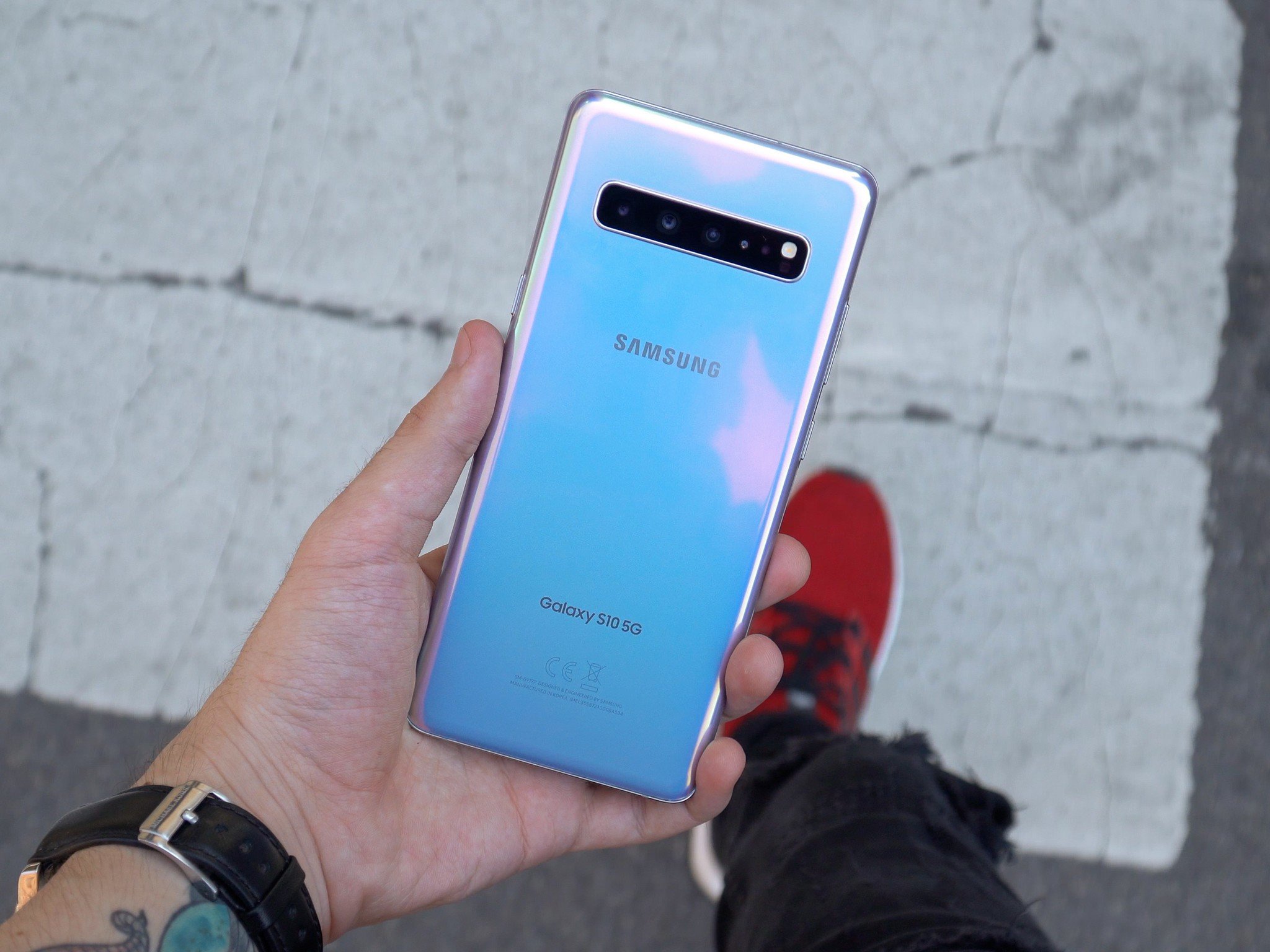
Much like foldable phones, the promise of 5G's proliferation has been delayed from our initial expectations. 2020 is where things will actually hit the mainstream in earnest due in large part to Qualcomm's push into the technology. Its new mobile platforms, the Snapdragon 865 and 765, only come in 5G versions — and that means there's a great chance that the new phone you buy in 2020 will be 5G capable, because phone makers simply won't have the option to release a 4G-only phones if they want to use the latest processors. Other inexpensive 5G-capable chips from competitors like MediaTek will also bring the new networking standard to less-expensive phones.

If there's a silver lining here, it's that 5G networks are continuing to expand now that phones are available.

That is, of course, whether you actually have access to a 5G network or not. 5G networks are still in their infancy, despite all of the noise carriers are making about their expansion. mmWave networks, such as Verizon's, are only available in specific parts of specific cities. Sub-6 5G networks, like the one T-Mobile is deploying, have the best footprint — but even in that best-case scenario, throughout 2020 you're still going to be spending a large amount of time relying on LTE.

If you're going to be buying a high-end phone in 2020, expect it to have 5G whether you think you'll use it or not — and expect to pay a little more for the phone because of it. If there's a silver lining to all this, it's that the proliferation of 5G-capable phones will also spur carriers to expand 5G networks faster — and you may actually get to use 5G consistently within the life of that phone you just bought.

Another round of amazing cameras

Computational photography and multi-lens camera systems have dramatically improved the quality of photos we can get out of smartphones, and it isn't going to slow down this year. A new round of camera sensors that use ultra-high-megapixel counts are coming, pushing over the 100MP barrier — and a couple are already on the market.

More megapixels, more lenses, and even better processing to combine it all.

But that doesn't mean we're going to start seeing higher-megapixel photos; the extra sensor data is going to be processed with ever-improving algorithms to combine pixels for smoother, crisper photos that output at "normal" resolutions. A 100MP camera sensor will output a 25MP, or even 12.5MP, photo in the end — but that's great, because we don't need higher resolution, we need more light and more color in our smartphone photos.

These new sensors and processing software will continue alongside the steady march of just adding more cameras to phones. Two cameras is already the norm; now we're going to see everyone standardizing on three and four-camera arrays — and at this point, it lets companies use those tertiary sensors for ever-more-specific use-cases rather than general image capture. Things like dedicated sensors for depth sensing, black-and-white capture, extra-long focal lengths and more.

Faster (and smaller) software updates

Google's changes to the way Android updates can be applied with Project Treble have already improved software update speed and consistency, but the improvement has (as usual) not been evenly distributed. Project Treble lets Google and phone makers release incremental updates easier and faster because small changes — like security patches — can be released without affecting the entire system, so we can get feature updates from Google without requiring manufacturers to tweak and re-certify all of their low-level hardware support to release the update.

The combination of Treble and Mainline will update your phone faster and more frequently.

But Project Treble only works on phones that launched on Android 8.0 or later. Now that we're a couple years removed from Android Oreo, a vast majority of phones we're using launched with Android 8.0 or 9 and have Treble capabilities. And we're nearing the end of the software update lifespan of phones that launched on Android 7.0, meaning manufacturers will be able to focus all of their attention on Treble-style updates for all of their phones. That means the potential for faster, more consistent updates in 2020 — even if you bought your phone in 2019.

That's going to get even better with phones on Android 10 in 2020 with another improvement to updates called Project Mainline, which is a perfect companion to Treble. Similarly, Project Mainline lets phone manufacturers update individual parts of the system — like hardware drivers, security features, networking components and more — without touching either the interface layer on top or the sub-Treble layer below. These updates are delivered just like app updates, through the Google Play Services framework, so they're near-seamless to the user.

The combination of Treble and Mainline isn't necessarily going to more quickly deliver major version updates, like upgrading to Android 11 late in 2020. But it will speed up smaller updates like improvements to individual features, networking tweaks, and changes to low-level controllers and drivers for improved performance in parts of the system that interface closely with the CPU and GPU. Together with Treble, we're all going to be getting software and firmware improvements more frequently in 2020.


from Android Central - Android Forums, News, Reviews, Help and Android Wallpapers https://ift.tt/39stbEW

Two-factor authentication: Everything you need to know

What 2FA is, why it's important, and why you should use it.

You see a lot of talk on the internet about two-factor authentication (or 2FA as it's commonly called), and most of the time you just see people like us telling you to use it.

We'll continue that trend and start this bit of prose by telling you to use 2FA whenever and wherever you can. However, we're also going to let you know what it is, and why you must use it.

Ready to learn more? Read on.

Lock it down

Yubico Security Key

$20 at Amazon

Keep your accounts extra safe with a physical 2FA key

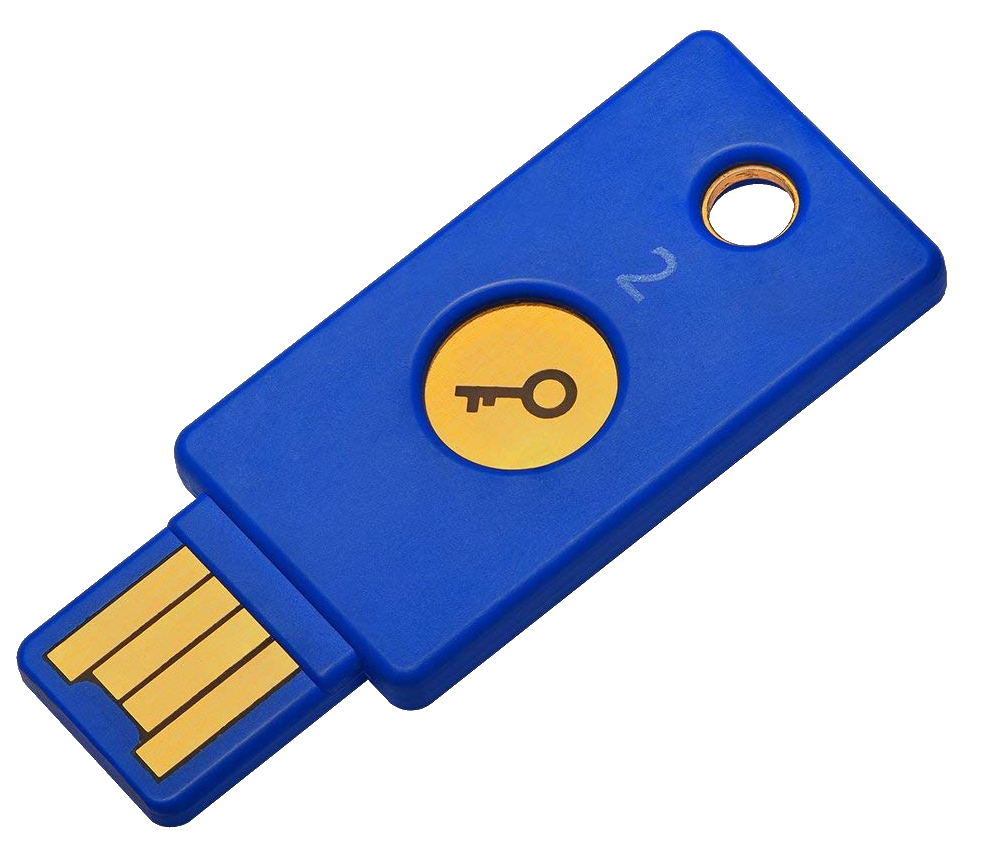
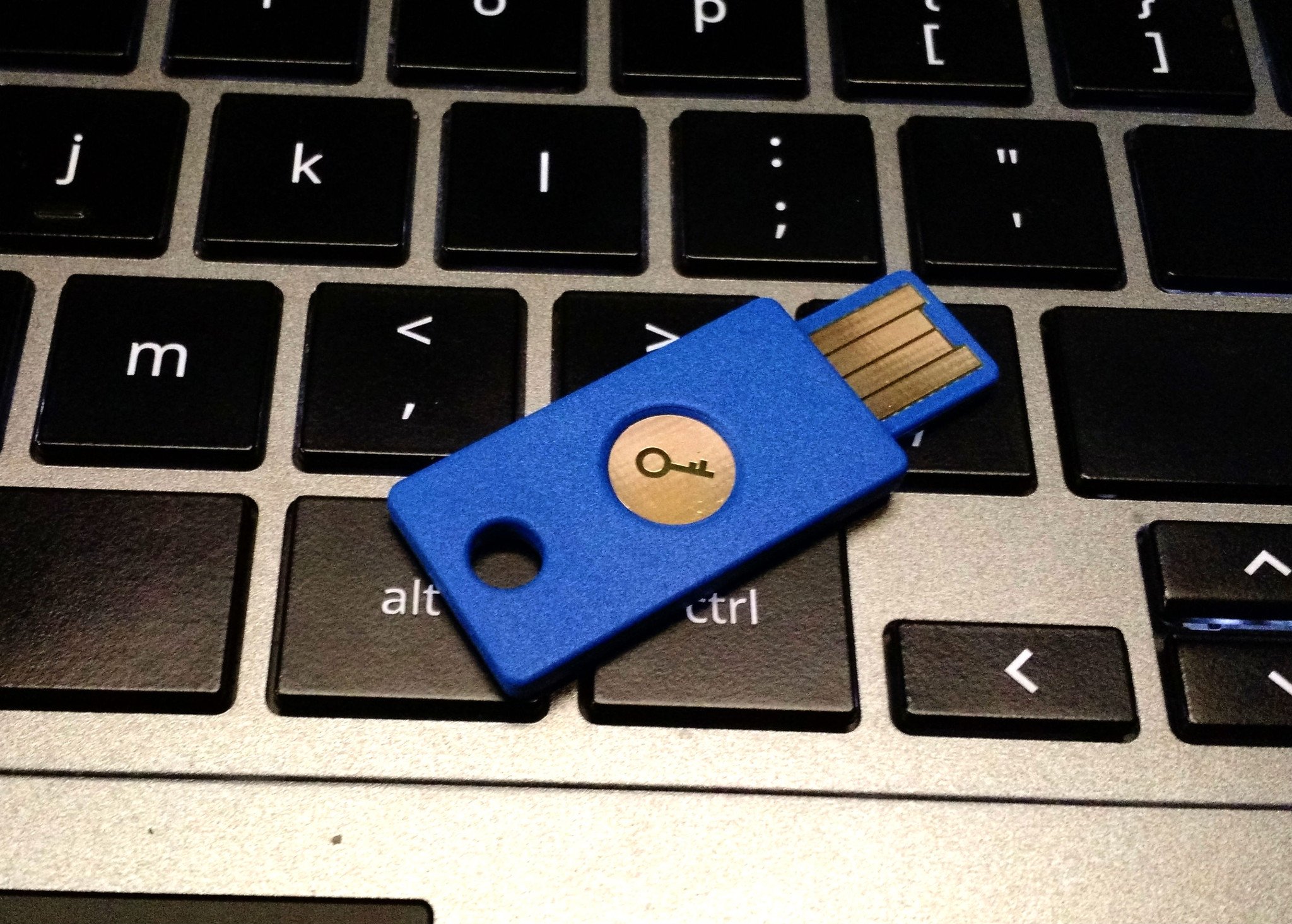
Everyone should be using two-factor authentication (yes, you!), and one of the best ways to start is with the Yubico Security Key. This USB key fits in any USB-A port and securely saves 2FA login codes for your Google, Facebook, Dropbox, and other online accounts. It's also extremely durable and can be attached to a key ring for easy transportation.

What is two-factor authentication?

To put it in simple terms, two-factor authentication (2FA) means that you need to present two different things from two different sources that prove who you are. Generally, three different ID types can be used for 2FA purposes when it comes to online accounts:

  • A thing that only you should know. A password, PIN, account number, your street address, or even the last four digits of your Social Security number fit the bill here.
  • A thing that you can hold in your hands. This means your phone, an authenticator fob, or a USB security key.
  • A thing that is part of you, like your fingerprint, retina pattern, or voice pattern.

When you have 2FA enabled on an account, you need two of these three things to get access.

You've been using 2FA for most of your adult life. The companies who process credit card payments for online retailers usually force you to enter the three-digit code on the back of your credit card as well as the card number, then need you to provide the billing address. The numbers on the card (both front and back) are a way to make sure you have the card in your possession for the first method of authentication, then the address you provide has to match what the card issuer has on file as a second way to prove who you are. That's 2FA.

Back when the world still used checks to pay for things, most businesses wanted two forms of physical ID from a well-recognized place like your state DMV or school as a way to make sure you are the person whose name is on the top of the check. That's also 2FA. Plus, to get those IDs usually requires multiple things from different places to prove who you are.

You've been using 2FA all along and probably didn't realize it.

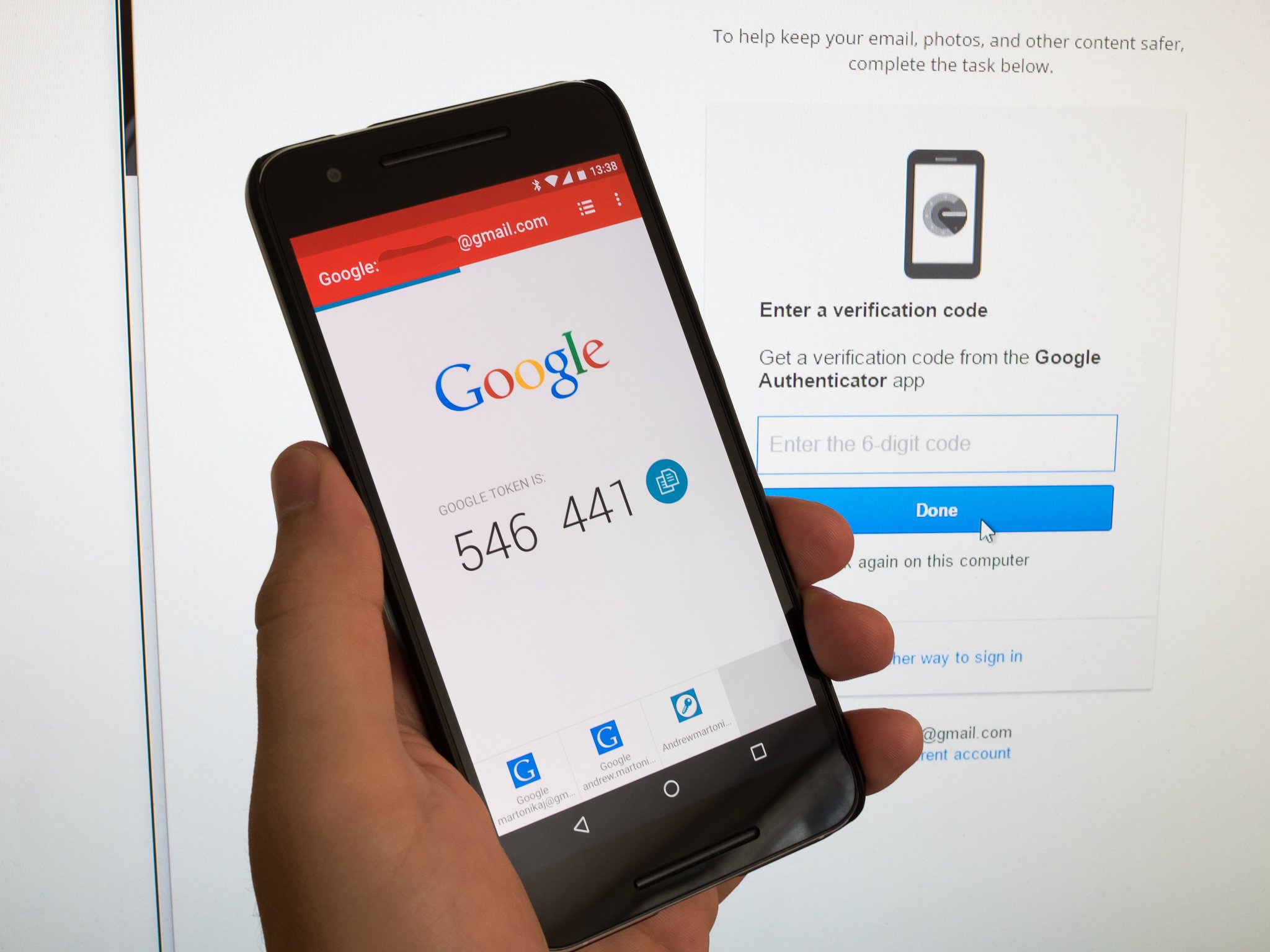
Using 2FA for your online accounts is a little bit different, but still uses the same principle — if you can provide more than one method to prove who you are, you probably are who you claim to be. For an account like Google, Facebook, or Amazon, you need to supply a password. Your password is something only you should know, but sometimes other people can get hold of it. When you add a 2FA requirement — like an authentication token sent to your phone or a USB security key that you plug into your computer — a password is no longer enough to get into your account. Without both pieces of authentication, you're locked out.

Google Titan vs. Yubikey 2: What's different and which should you use?

Is two-factor authentication secure?

Yes and no. Using 2FA on an account is a lot more secure than not using it, but nothing is perfectly secure. That scary thought aside, using 2FA is usually sufficient protection for your "stuff" unless you're a high-profile target or really unlucky.

Using 2FA is usually sufficient protection for your online accounts and services.

On the positive side, if you're using 2FA and some fake phishing email manages to get you to supply your password, they still can't log into your account. The way most people use 2FA for online accounts is to have a token sent to an app on their phone, and without that token, the email scammer isn't going to have any luck getting access. They will enter your account user name or ID, then the password, and then they need to supply that token to go any further. Unless they have your phone, the work involved in bypassing the second ID requirement is enough to get the bad guy to say "forget it!" and move to someone else.

On the other hand, if you're someone like the President or Mick Jagger, people are going to want to get into your accounts, and there are ways. The communication between the people supplying the authentication token and your phone is safe for the most part, so attackers go after the website or server asking for the credentials. Auth tokens and cookies can be hijacked by very clever folks, and as soon as one method gets patched, they start looking for another. This takes a lot of knowledge and hard work, so that means that the result has to be worth it all. Chances are you and I aren't worth the trouble, so 2FA is an excellent way to secure our accounts.

How do I use two-factor authentication?

It's easier than you might think!

Setting up 2FA on an account is a three-step process. You need to provide your current credentials by typing in your password again (this helps keep someone else from adding it to your account), even if you're currently logged into the service. Then you go into the account settings and enable 2FA on your account. This lets the server know you want to enable it, and it'll ask what kind of authentication you will be using — most common are codes sent to your phone as an SMS message or through an authenticator application. Finally, you affirm the change by supplying a token back to the server. If you're using an app, this might be a barcode you have to scan or manually enter some information into the app. If you chose to use SMS, a code will be sent that you need to enter on the website to finish things up.

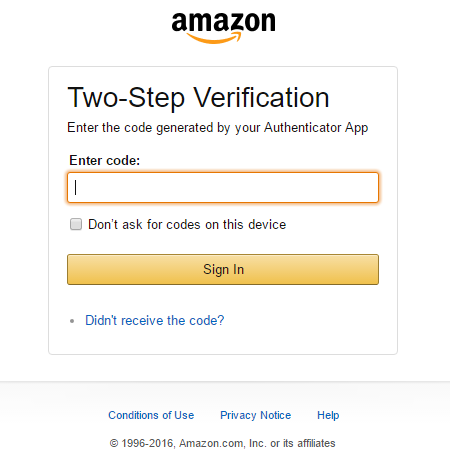
That last step happens when you want to log into that account again. You'll enter a username or ID, then a password, and then be asked to supply an authentication number. That number is sent as an SMS, for example, or in the app on your phone if you decided to go that route. You type that number into the text field and that's it! You have access.

Most services will store an authentication token on your phone or computer, so the next time you want to log in, you won't have to supply the code again. However, if you want to set up access from another place, you'll need a code.

The exact process for how this looks varies from site to site, but below are a few examples of how to enable 2FA on some of the most popular platforms.

How to set up 2FA on your Google account How to set up two-factor authentication on your PlayStation 4 How to secure your Ring account with two-factor authentication (2FA) How to change your Twitter password and activate two-factor authentication

Why 2FA is so important

In a world that's constantly becoming more connected with new security and privacy issues popping up just about every day, it's important that everyone out there takes the necessary precautions to protect their online presence as much as possible.

Two-factor authentication is not 100% fool-proof, but it does add a significant layer of security that can keep unwanted eyes and hands off of your data.

It might be annoying at first to deal with entering your 2FA codes when logging into your online accounts, but the extra couple of seconds this takes is well worth the added protection that two-factor authentication provides.

Why you (and your family) should be using two-factor authentication and a password manager

Lock it down

Yubico Security Key

$20 at Amazon

Keep your accounts extra safe with a physical 2FA key

Everyone should be using two-factor authentication (yes, you!), and one of the best ways to start is with the Yubico Security Key. This USB key fits in any USB-A port and securely saves 2FA login codes for your Google, Facebook, Dropbox, and other online accounts. It's also extremely durable and can be attached to a key ring for easy transportation.


from Android Central - Android Forums, News, Reviews, Help and Android Wallpapers https://ift.tt/2SGCye9

Apple’s privacy-first approach is why you’re seeing those iOS 13 location tracking reminders
“Google Maps has used your location 137 times in the background over the past 3 days. Do you want to continue to allow background location use?”

from iDownloadBlog.com https://ift.tt/2sCFj5t

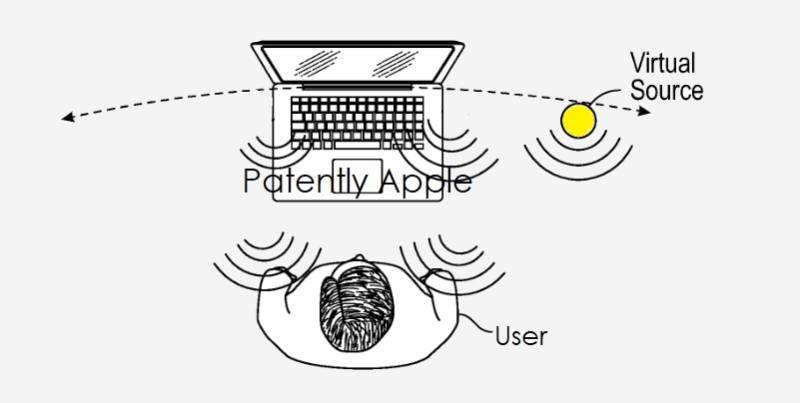
Apple audio patent details ‘virtual acoustics audio systems’ for improved audio in MacBooks

Apple has earned a patent for "virtual acoustics" in MacBooks, which would improve the overall audio quality.

from iDownloadBlog.com https://ift.tt/36fbaI2

ToTok co-founder pleads with Apple and Google to reinstate its app

"We firmly deny this baseless accusation, and we are profoundly saddened by this complete fabrication that was thrown at us."

What you need to know

  • The co-founder of ToTok has taken to Twitter in a public appeal to Apple and Google.
  • Giacomo Ziani posted a messaged on Twitter pleading with both companies to reinstate its messaging app.
  • The app was removed from both app stores over concerns it was being used as a spy tool by the UAE.

The co-founder of ToTok has taken to Twitter to plead with both Google and Apple, asking that they reinstate ToTok on the App Store and Google Play.

The app was removed from the App Store and Google Play earlier this month over concerns it was being used by intelligence agencies in the United Arab Emirates to spy on its users.

Now, in a video message, Giacomo Ziani, co-founder of the app, says the move "is seriously hurting our company and putting all of our efforts at risk".

As reported by Arabian Business, he said that ToTok were international entrepreneurs with no links to any government and that data protection and privacy were their top priority.

Alongside his Twitter appeal, Ziani gave an exclusive interview with Khaleej Times in which he said ToTok is fully compliant with its treatment of personal data. He also claims that the reason ToTok was allowed to operate in the UAE (most apps such as FaceTime, WhatsApp, and Skype are not available in the country) was that it was a pilot project that had met all the UAE's regulatory requirements:

The UAE had already released multiple public statements in this regard. ToTok was allowed as a pilot project, because we were new, had no market share, and from a clean slate, we met all the UAE requirements to operate in the country (for example, our employees work and live in the country).

On the accusations that ToTok was being used to spy on its users he said:

We firmly deny this baseless accusation, and we are profoundly saddened by this complete fabrication that was thrown at us. We feel caught up in some vile conspiracy against the UAE, and even jealousy by some people, who do not wish an app like ours from this region to ever become a global player.

Ziani went on to say that ToTok hopes the suspension will be lifted "in the next few days".

As per previous reports, ToTok does not offer end-to-end encryption on its messages, and the initial report from the New York Times noted that the firm behind ToTok, Breej Holding, is likely a front company affiliated with Abu Dhabi-based cyberintelligence firm DarkMatter.

Investigations by both The New York Times and American intelligence services seem to have unanimously concluded that the app is indeed being used by the UAE to spy on its users. One digital security expert went as far as to suggest that senior Emirati officials told him that ToTok had been developed in order to track its users. With mounting evidence contrary to Ziani and ToTok's claims, it seems likely his plea will fall on deaf ears.


from Android Central - Android Forums, News, Reviews, Help and Android Wallpapers https://ift.tt/2QcJLB1

Russia’s new protectionist law could drive Apple TV+ out of the market if it becomes too big

Apple's video service could be driven out of the Russian market, but only if it becomes too successful.

from iDownloadBlog.com https://ift.tt/2ZFh56N

Apple rumored to launch a notchless iPhone with in-display Touch ID in 2020

A new rumor suggests Apple is going to launch a high-end notchless iPhone with in-display Touch ID -- and no Face ID -- in 2020.

from iDownloadBlog.com https://ift.tt/37q3e6Y

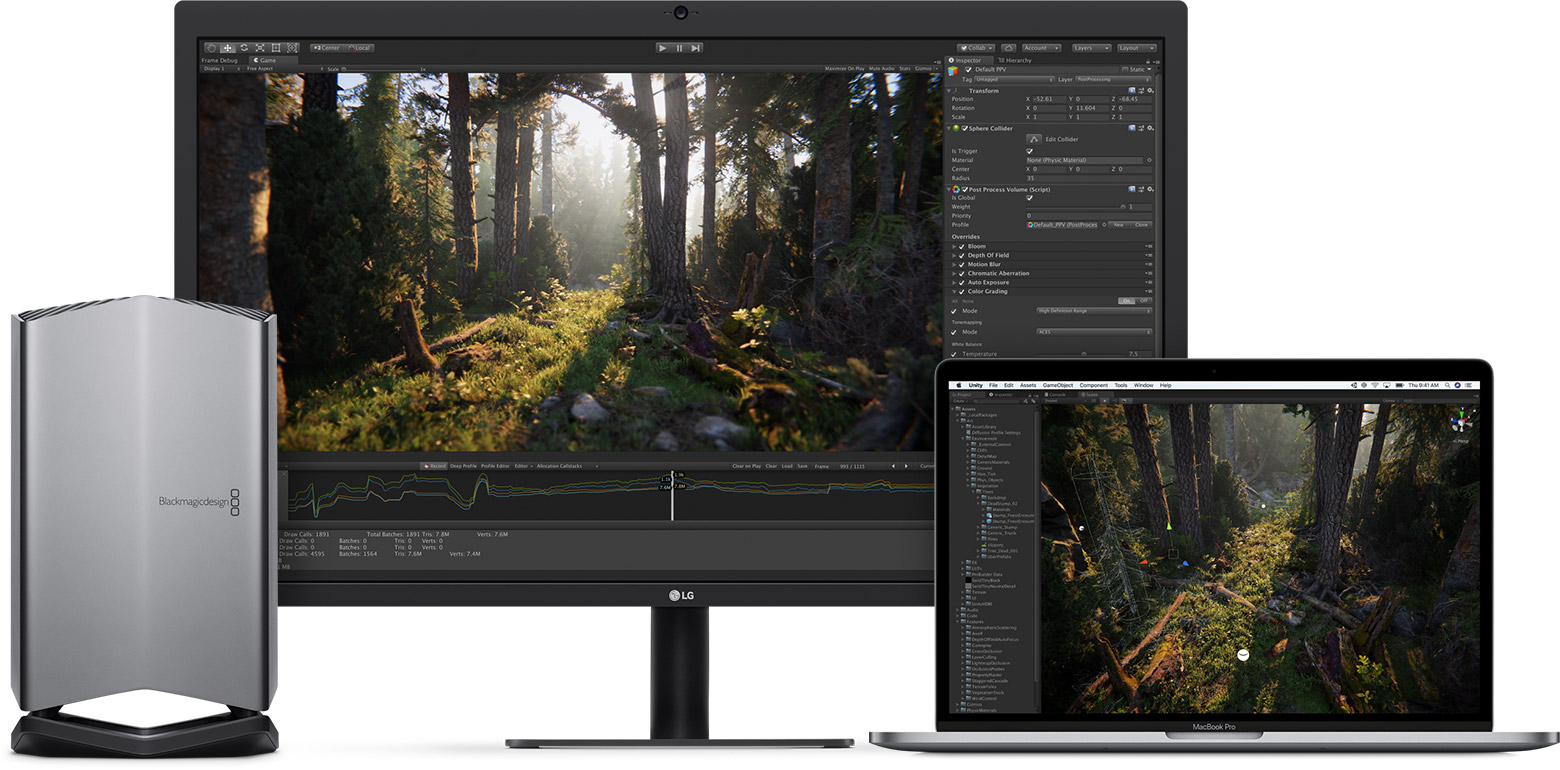
BlackMagic eGPU update brings support for Apple’s Pro Display XD monitor

Mac with eGPU

BlackMagic's eGPU products now support Apple's 6K display via a version 1.2 software update available for both the Blackmagic and Blackmagic Pro users.

from iDownloadBlog.com https://ift.tt/2QC0vAC

Does casting Oculus Quest games reduce battery life?

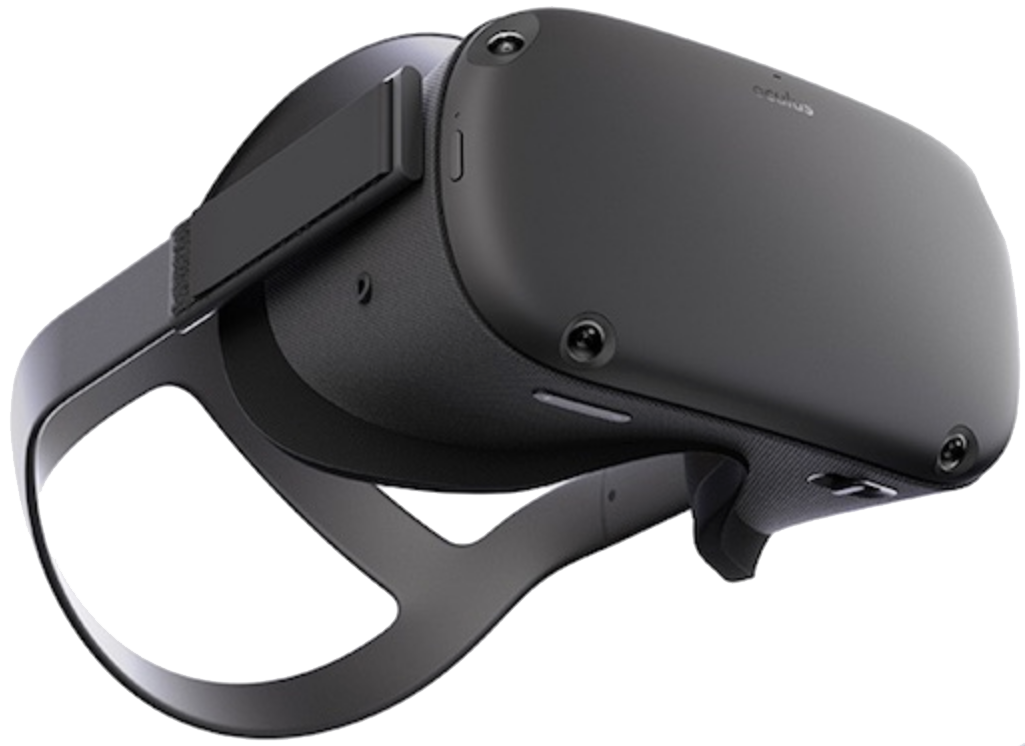
Best Answer: No. The Oculus Quest was built with a mobile experience in mind and, surprisingly, casting to a TV or another external device will not negatively affect battery life in any noticeable way.

How long will the Oculus Quest battery last then?

The Oculus Quest is rated to last around three hours on a single charge. Some games will be more demanding than others and may bring that number closer to two hours, but the battery life is approximately the same as other portable gaming systems, such as the Nintendo Switch. While two and a half or three hours doesn't sound like a lot of time, most gaming experiences will still feel fulfilling even after a relatively short amount of time.

For example, popular titles like Beat Saber and Pistol Whip will get you sweating and your heart pumping in just a few minutes' time. After playing for even an hour, many of these more physically demanding games will leave your body as sore as a hard workout at the gym.

The biggest downside to the Quest's battery life out of the box appears when playing games with others. It's easy to get your friends and family immersed in VR thanks to the ease of taking the Quest anywhere and setting it up in a matter of seconds, but two and a half hours passes by incredibly quickly when you're passing it off between players. For those times, you're definitely going to want to pick up an extra battery pack to keep the battery humming along for several more hours. Just like a modern Android smartphone, the Oculus Quest uses a USB Type-C port to charge and that rechargeable battery pack you already have might even work to keep it juiced up.

Keep it going

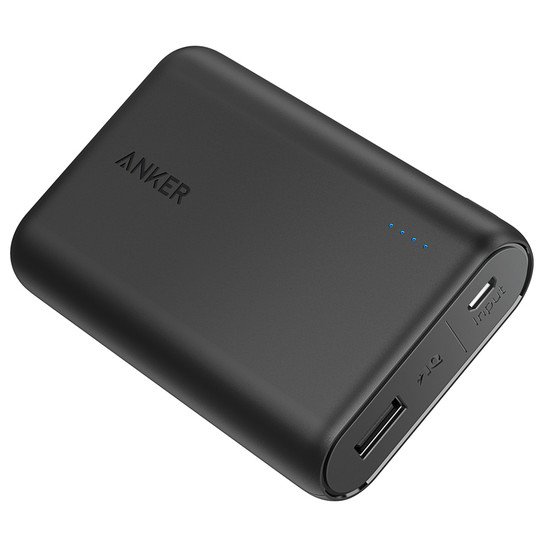
Anker Powercore 10000

$30 at Amazon $26 at Walmart

Lengthy play sessions now possible

Anker makes lengthy play sessions on your Oculus Quest possible thanks to the Powercore 10000, a 10,000mAh battery pack that'll add several hours of VR game time to the Oculus Quest experience.

How does casting work? Are there any downsides?

Facebook outfitted the Oculus Quest with dedicated hardware to ensure the mobile experience was a solid as possible, and that includes dedicated processing cores for things like casting to TVs or powering the home screen. Despite not affecting battery life in any meaningful way, casting could affect performance in some games.

Occasionally, I've come across titles that will feature a distinct jutter or pause from time-to-time when casting, live-streaming, or recording gameplay. You'll also find that some games handle casting better than others. Pistol Whip, for instance, outputted a far lower resolution than other games at launch, and even included a full second delay in sound effects on the TV casted to when compared to what the player is experiencing in VR.

Facebook and game developers have improved casting quality and performance dramatically since the launch of the Oculus Quest, making the experience far better and a great way to share the experience with everyone in the room.

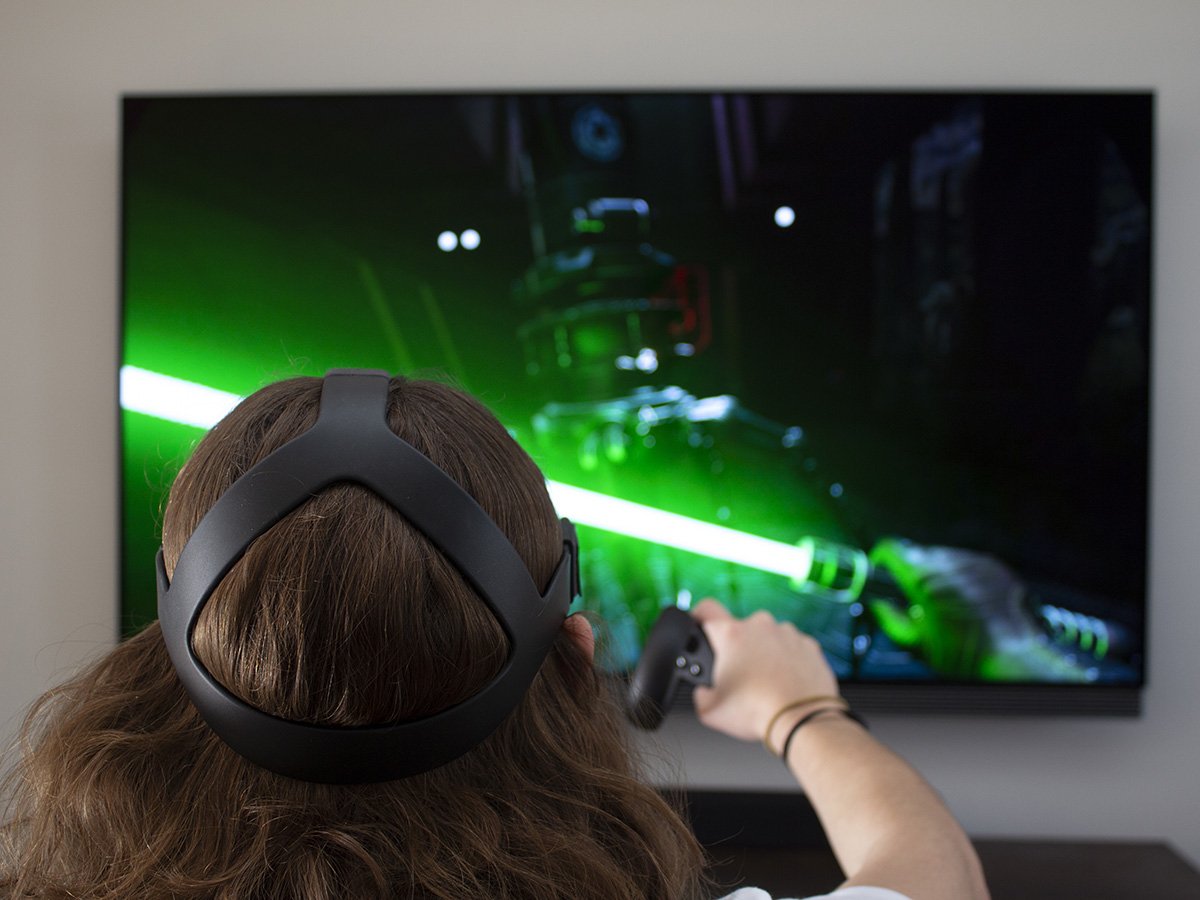
Just as you can easily record or stream gameplay from the Oculus Quest, sharing the screen with a Chromecast-ready device in your home is as easy as a few clicks. Simply navigate home, head to the sharing tab on the home bar at the bottom of your cone of vision, and click cast screen. You can also perform these same actions from the Oculus app on your smartphone by clicking the headset button on the top right of the app and then select any of the displays in the list to cast the display to (including right to your phone).

Alternatively, you can also connect your Oculus Quest to a gaming PC and use that to completely drive the experience. It'll add a wire to the side of your headset and force you to be tethered to a PC, but it enables richer, more graphically complex games to be played on your Oculus Quest. It also solves the problem of battery life and casting performance, so long as you have a gaming PC that can deliver solid VR performance.

Totally wireless

Oculus Quest

From $399 at Amazon $537 at Walmart

Easy as it gets

The Oculus Quest is the easiest, hassle-free way to experience VR. No expensive PC, no wires, and no limits to the freedom of enjoying VR.


from Android Central - Android Forums, News, Reviews, Help and Android Wallpapers https://ift.tt/2QfWiE1

The new Eero mesh system is cheaper and easier to set up than ever

Eero is no stranger to the mesh router space. Its original mesh system, released in 2016, was one of the first to combine small, stylish design with an easy-to-use app that made home networking far less daunting — though it came with a hefty price tag that made it hard to recommend over similar options like Google Wifi.

A subsequent second-gen model later arrived with simpler Beacon access points that plugged straight into your AC outlets, but at $400 for the three-piece kit, it was still hard for many to justify. Now, the once-independent company is releasing its first product since being bought by Amazon in 2019: a third-generation mesh system that further simplifies the setup process and finally offers competitive pricing.

Networking simplified

Eero Mesh WiFi System (Gen 3)

Bottom line: Eero's third-generation mesh system simplifies the setup process with three identical units and a robust mobile app. You can cover up to 5000 square feet with this system — just don't expect gigabit speeds.

The Good

  • Robust and easy-to-use app
  • 1500 sq ft of coverage per unit
  • Incredibly easy to set up
  • Great device and network management
  • Family profiles for scheduled pauses and filtering

The Bad

  • No desktop controls
  • Not the fastest router
  • Finicky connection with some devices

$249 at Amazon

Eero Mesh WiFi The hardware

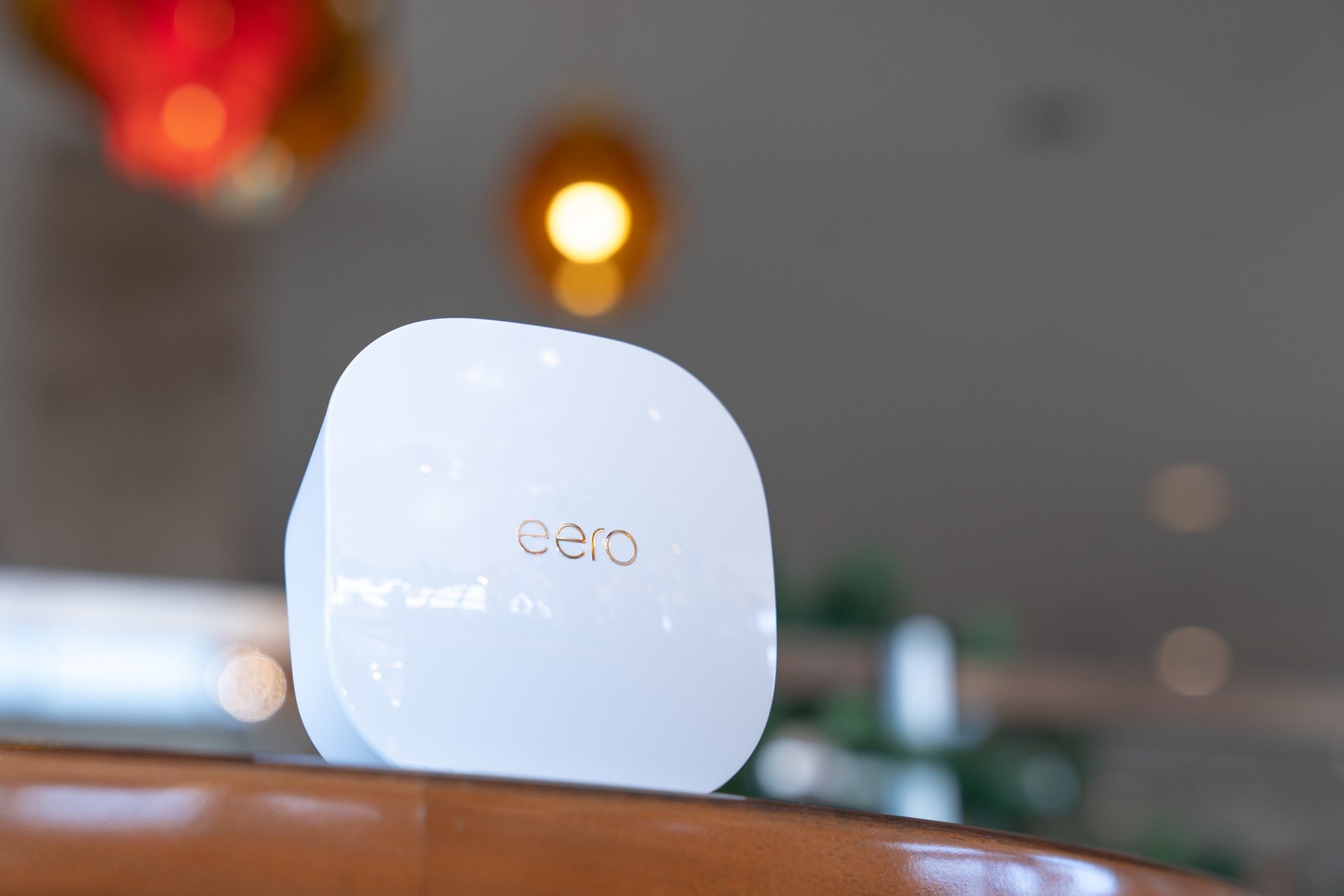
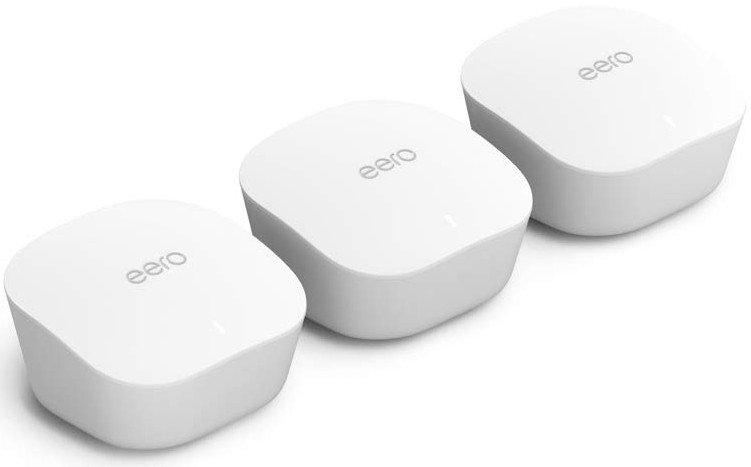
My favorite thing about the new Eero (stylized eero) system is that there's no longer a difference between the router and its access points. Whether you buy an individual eero or a three-pack bundle, every unit is the same relatively small white plastic puck. You don't have to worry about which unit goes where — it's all plug-and-play.

The setup is about as simple as it gets. The eero is powered over USB-C via a 15W brick — just plug it in next to your modem, connect the two together using the included ethernet cable, and follow the instructions on the eero app from your phone (which mostly just comes down to choosing a name and password for your new Wi-Fi network).

Depending on your ISP, though, there may be a few extra steps involved. In my case, AT&T Fiber doesn't allow you to use your own equipment without routing it through the provided modem/router combo. Setting up a passthrough connection isn't terribly complicated, but it takes a bit of manual configuration that first-timers may not be comfortable with. Of course, that's not eero's fault, but it's helpful to know before you run into trouble.

After you've set up your first eero and established a Wi-Fi network, setting up additional mesh points is even easier. You can plug them in anywhere throughout your house, and the app will quickly pair the eeros together. You'll want to place them a fair distance apart to get the widest reach — each node covers about 1500 square feet. Mesh systems are particularly useful in multi-level homes or homes with dense walls, so place them strategically based on your living situation.

Eero claims that its new mesh system can cover homes up to 5000 square feet. I don't have nearly enough space to fully test that claim, but the range hasn't been an issue at all in my house, which measures in at about 1900 square feet with two floors and a basement (rent is dirt cheap in Indiana). In fact, I haven't even had to set up the third eero included in my kit; there's one next to my modem in the living room and one on my desk upstairs.

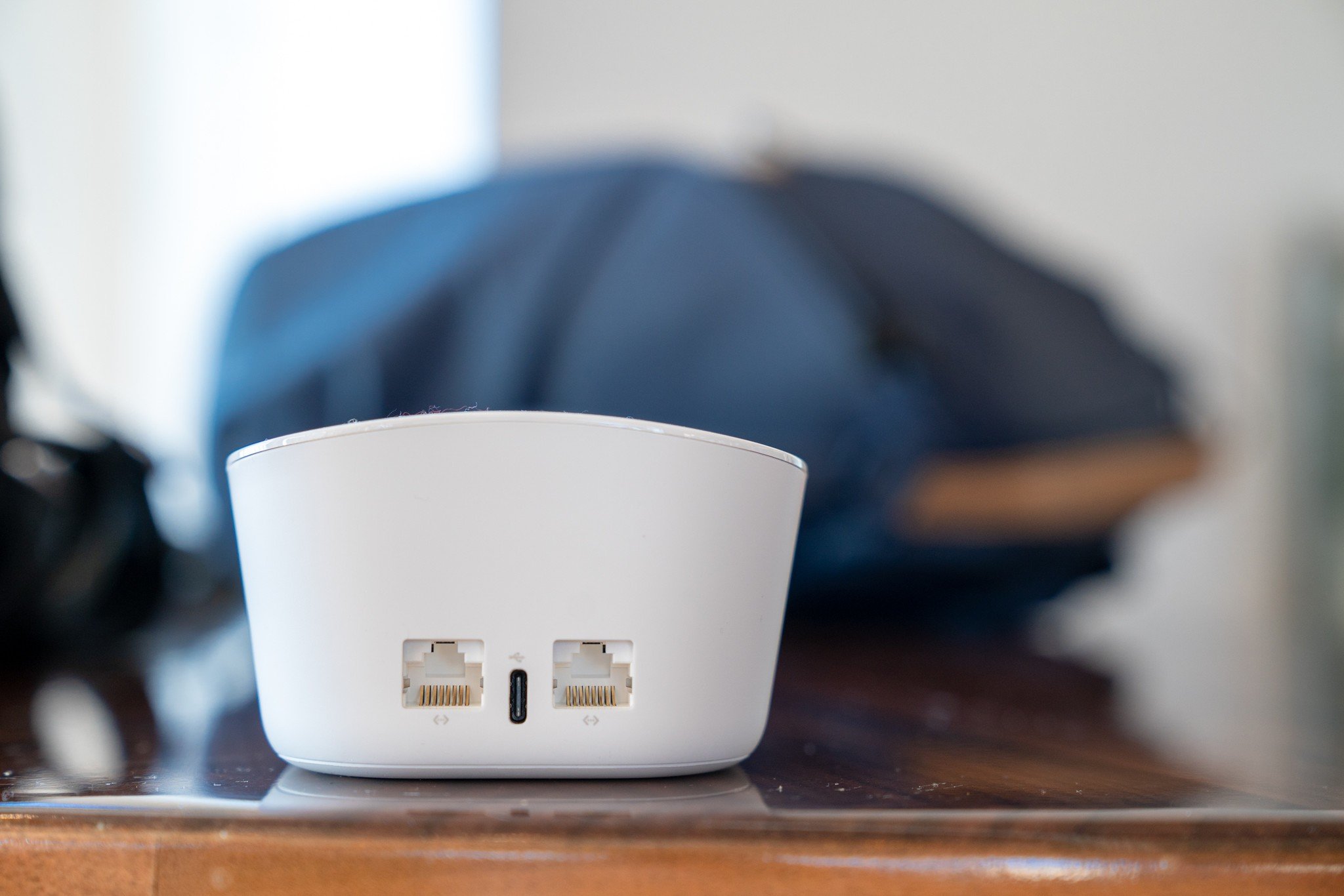
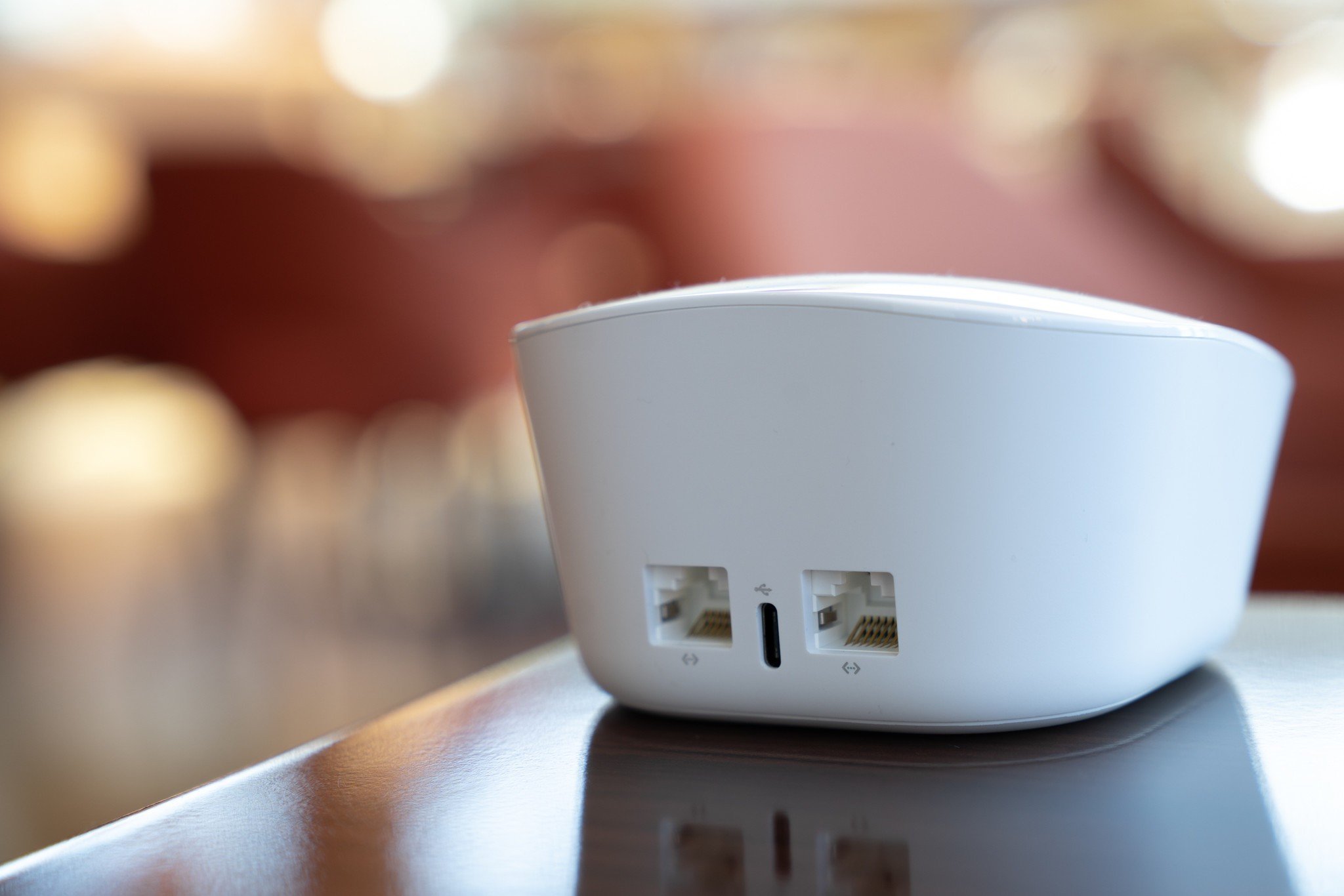
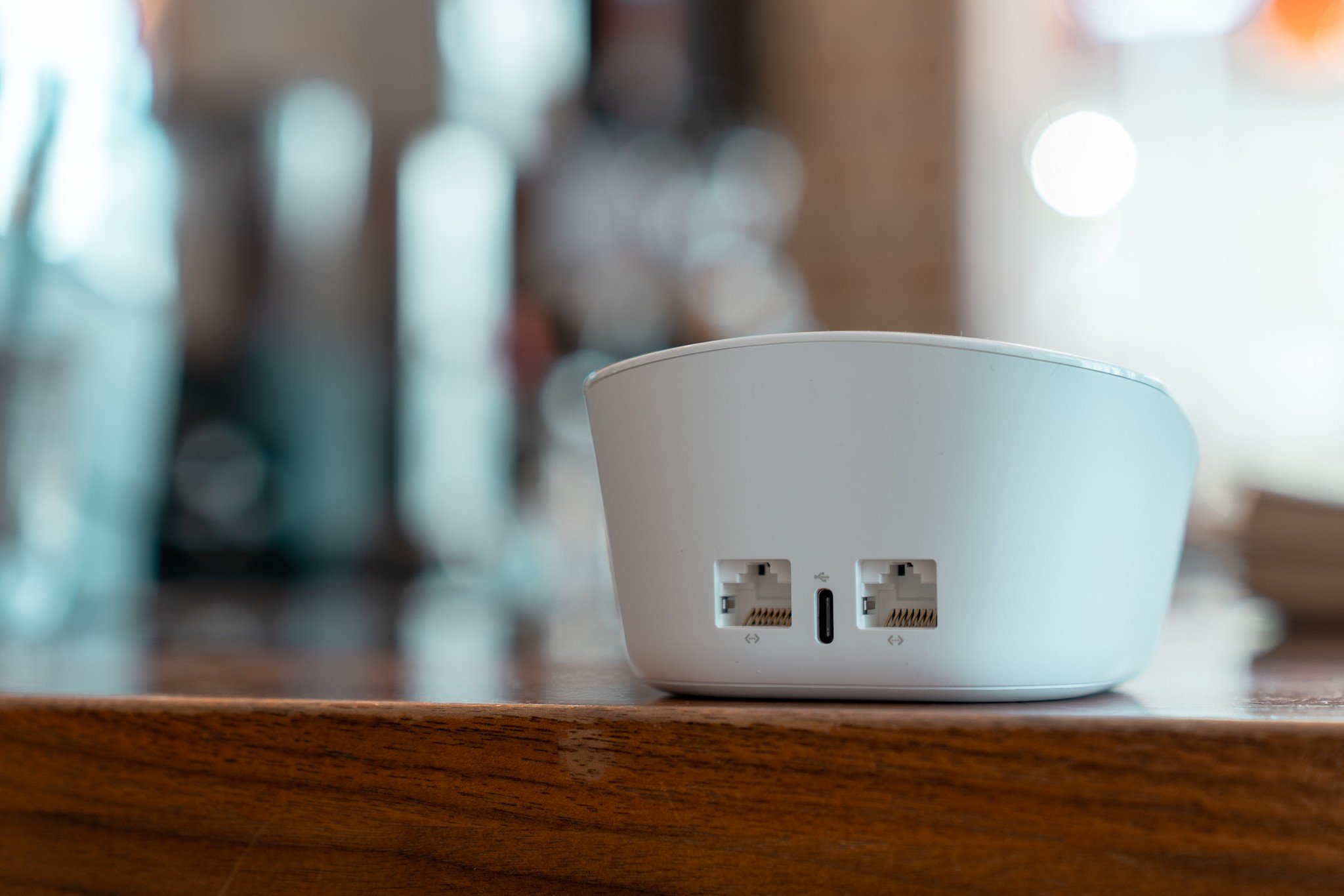
Each eero mesh point features two ethernet ports, which is great for hardwiring devices that either don't have built-in Wi-Fi or work better with a direct connection; I have a Philips Hue Bridge connected to my upstairs eero to control some of my smart lights. I wish eero would have also included USB ports, however, which would have allowed for connecting devices like external hard drives.

Seeing as eero is now an Amazon product, I also would've loved to have seen Alexa baked into each access point, similar to what Google's done with Nest Wifi. There are Alexa skills, though, which let you pause individual profiles on the network or even turn off the LEDs on top of each mesh point with an Alexa-enabled speaker.

The best part of the new eero system is that every mesh point is completely identical.

The third-generation eero uses 802.11ac Wi-Fi and features automatic band steering for its 2.4GHz and 5GHz bands. You can't create separate networks for each band, which often comes in handy for devices like smart home accessories that can only operate on 2.4GHz, but I haven't run into any band-related issues with my devices connected to eero — my LIFX bulbs, in particular, had previously had some trouble with the band steering from my stock AT&T router.

That doesn't mean I haven't had any connectivity issues whatsoever, though. My Samsung TV (the UN55NU8500) wasn't able to maintain a steady connection to the new Wi-Fi network without requiring a manual DNS server. My Pixel 4 and my partner's Pixel 3 also seemed to have trouble with the handoff from one mesh point to another; when moving from floor to floor in the house, we'd both regularly get a "no internet" warning while connected to Wi-Fi — though curiously, I haven't run into the same problem with other phones like the Note 10.

Eero Mesh WiFi Software and user experience

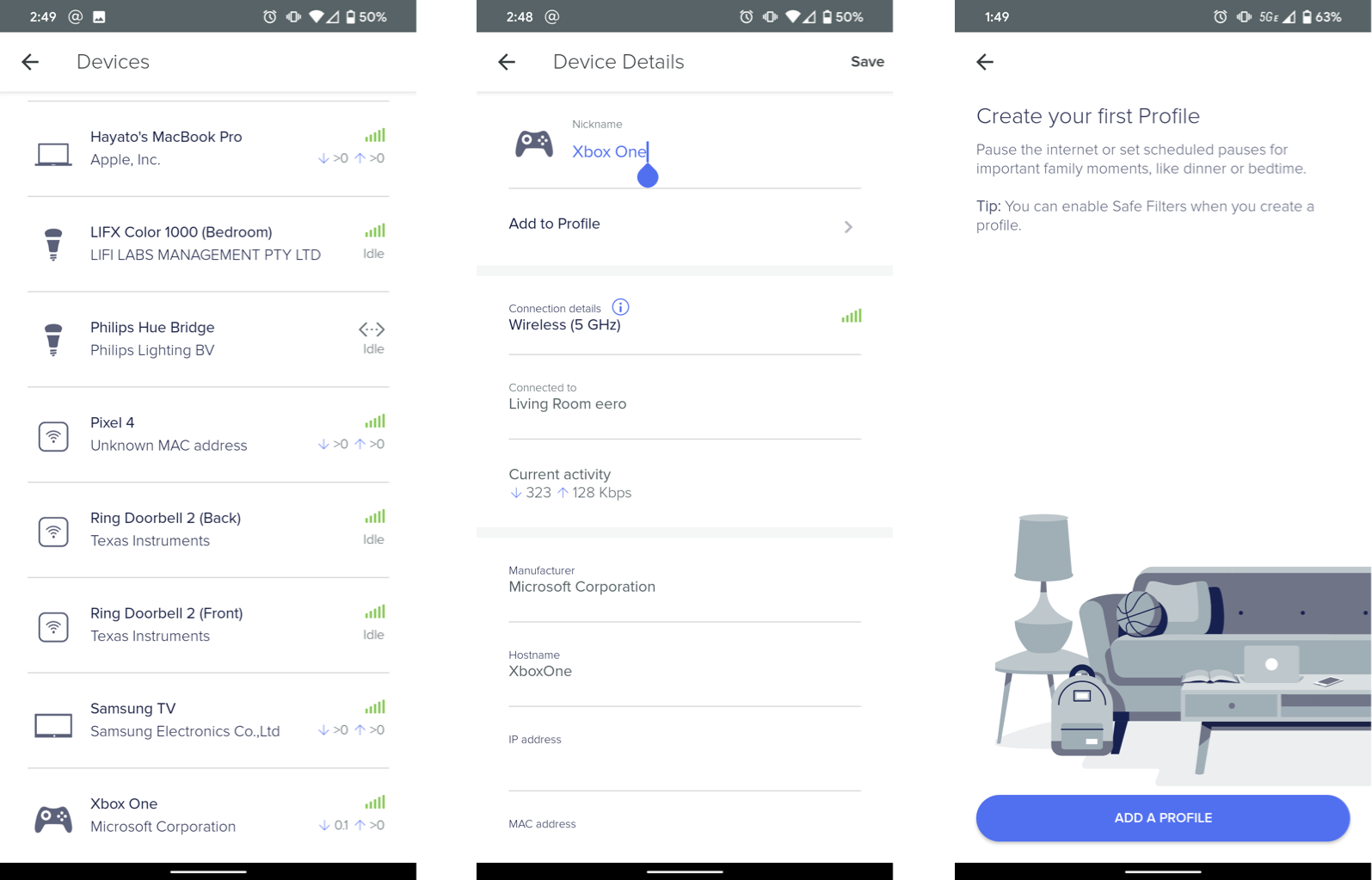
Eero has a fantastic mobile app that lets you keep track of and rename the various devices connected to your network. You can see each device's individual throughput, along with the band it's using and which eero mesh point it's connected to. You can block unwanted devices from your network, and even turn on notifications for any newly connected devices.

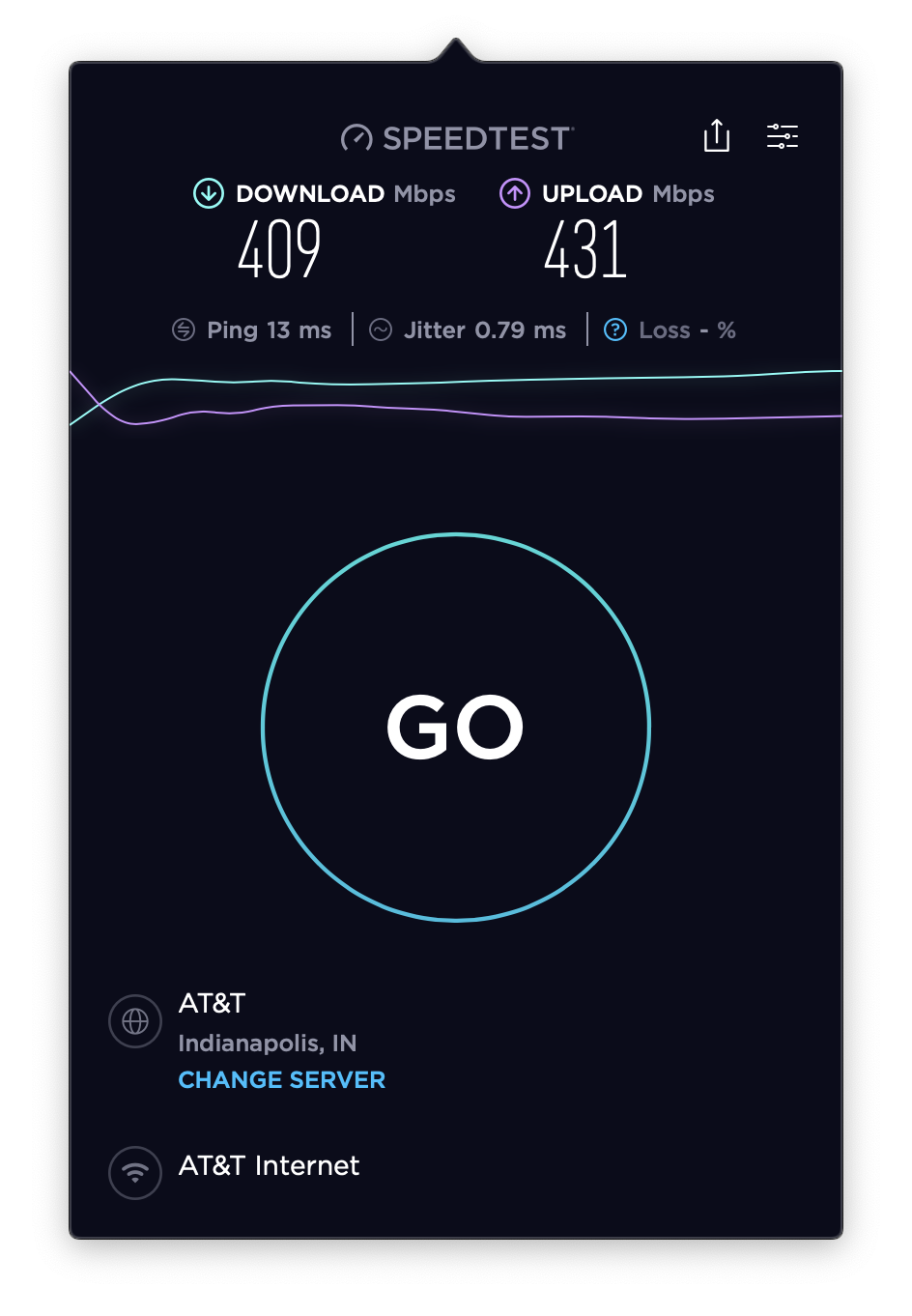
The base eero that's hardwired to your modem periodically runs speed tests and displays the results at the bottom of the app's main screen. Mine consistently sits at around 930Mbps in each direction, but running a speed test from any of my Wi-Fi-connected devices yields results in the neighborhood of 400Mbps up and down.

Slower speeds over Wi-Fi are certainly to be expected, and don't get me wrong — 400Mbps is still more than enough for just about anything you would do online; even streaming uncompressed 8K video wouldn't require that much headroom, provided the source has enough bandwidth to deliver it. But if you want to fully utilize the higher speeds you're paying for, there are faster routers out there.

The eero app offers a few other great features like guest access through either a separate network with limited access or your main network using a QR code to circumvent giving out your password. You can also set up profiles for individual content filtering, scheduled timeouts, or quick breaks — something parents will probably appreciate more than their kids will.

Just about the only thing I don't love about eero's app is that it's the only way to configure your network. It's not a big deal for most, but if you're someone who prefers making changes to your network from your web browser on your computer, tough luck — it's all done on your phone, whether you like it or not.

I'm also not crazy about eero locking many of its features behind a paywall with eero Secure, a $3 monthly subscription on top of what you already paid for the hardware itself. It's genuinely useful, with constant security scans to detect potential threats along with ad-blocking and safe filters (configurable to individually block adult, criminal, or violent content), but it hardly feels worth paying extra for.

You can also get eero Secure+, which includes subscriptions to three of eero's partners: 1Password (which happens to be my password manager of choice), Encrypt.me, and Malwarebytes.

Eero Mesh WiFi Should you buy it?

The new eero system is a lot like the second-generation eero system before it. It's sleek enough to place out in the open (which is exactly where a mesh system should go), and it's incredibly easy to set up and have a speedy and consistent network throughout your home that's simple to manage and amplify. But that's not as unique as it once was, and the eero is far from the fastest or most affordable mesh system on the market.

4 out of 5

Again, I wish eero would have integrated Amazon Alexa and a speaker into the mesh points, as Google did with the Nest Wifi, or simply supported faster speeds like the similarly priced TP-Link Deco M9 Plus, which supports near-gigabit speeds over Wi-Fi.

Still, the eero app is polished and easy to use, and the reduced pricing with this generation is a welcomed step in the right direction.

Networking simplified

Eero Mesh WiFi System (Gen 3)

Uniform mesh points at a lower price

Eero's third-generation mesh system simplifies the setup process with three identical units and a robust mobile app. You can cover up to 5000 square feet with this system — just don't expect gigabit speeds.

$249 at Amazon


from Android Central - Android Forums, News, Reviews, Help and Android Wallpapers https://ift.tt/36fS3hg

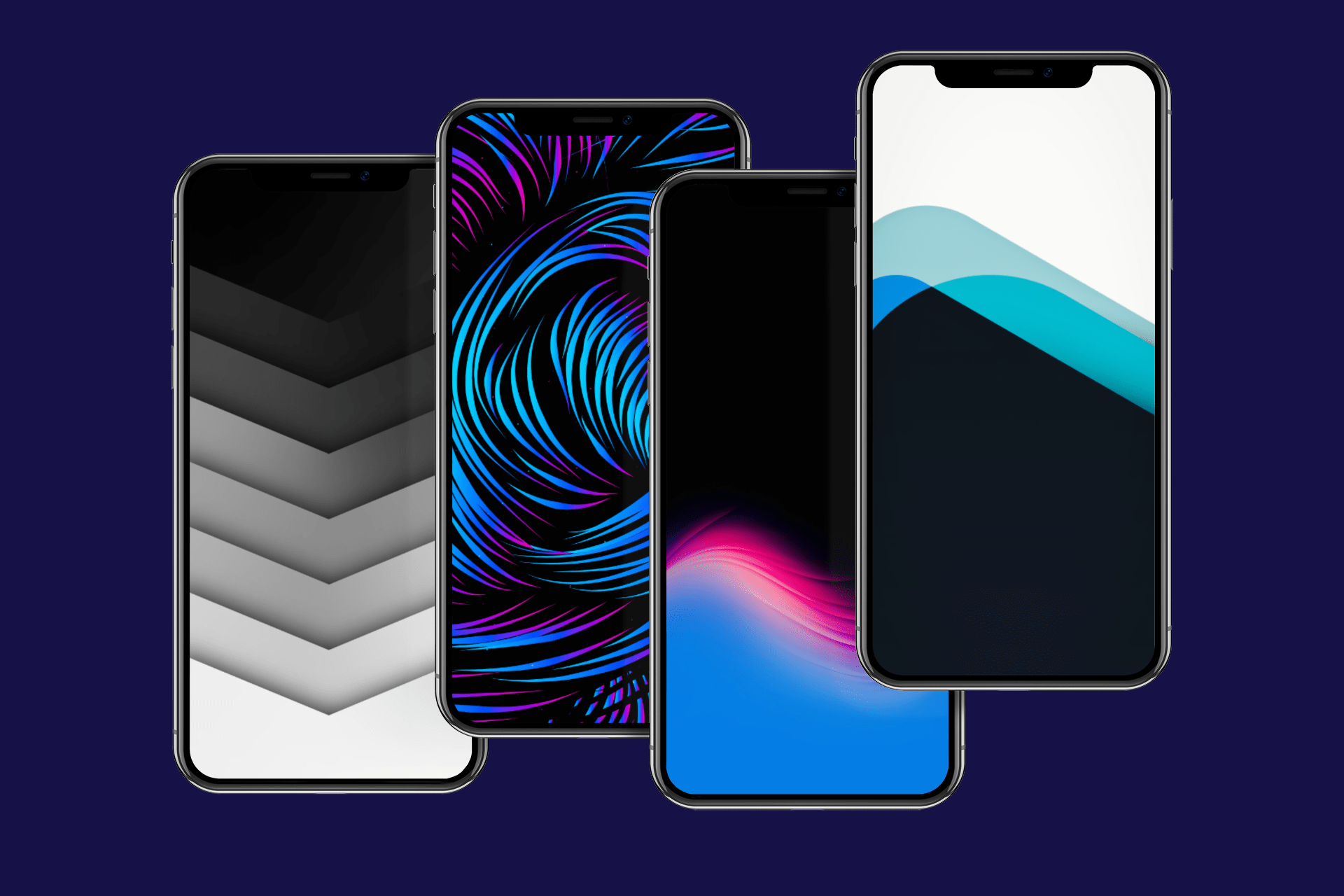
Top 10 iPhone Wallpapers of the Week 2019

The iDownloadBlog Top 10 iPhone Wallpapers of the Week, 2019 edition is upon us! Every Sunday of the year we post a new collection of crispy images for your favorite iOS devices. These are the best from the past year.

from iDownloadBlog.com https://ift.tt/358o0Xr

What to look forward to in Chromebooks in 2020

For play, for work, or both, 2020 is looking like a good year for Chromebooks.

Chromebooks have come a long way since their humble beginnings in the early 2010s, but the last year and a half, in particular, has been quite the whirlwind. Affordable Chromebooks like the Lenovo C330 and now the Lenovo C340 have become the go-to laptop for a great and growing number of people looking for a laptop that can do what they need without costing an arm and a leg. 4K screens, numpad keyboards, and fingerprint sensors all arrived on Chromebooks for the first time, and we saw a myriad of new features come to all Chromebooks, from Virtual Desks to Google Assistant for non-Pixel Chromebooks.

2019 also saw some unprecedented developments in the support life for Chromebooks, extending the lifespan of hundreds of current Chromebook models by one-three years. This was a great gift, and one that I expect to keep giving in 2020. As Chromebooks move full steam ahead into the new decade, there are a few more excitements on the horizon, and some may be coming very, very soon.

Long support lives for new Chromebooks

At the beginning of 2019, the amount of time you could expect your new Chromebook to receive Chrome OS updates was four-six years, with most falling towards the lower end of that spectrum. With the extensions made this fall, some current Chromebooks will now be supported for up to seven years, and I expect new Chromebook platforms — the base hardware configurations from which multiple Chromebook models are built — launching in 2020 may boast even higher support lifespans.

Thus far, the main limit on a Chromebook platform's expiration date has not been the age or power of the main processor, but rather the availability and the support of drivers and compatibility by component manufacturers. As Google and Chromebook manufacturers continue to refine their upcoming platforms with an eye towards longevity, we should see upcoming Chromebooks that will see Chrome OS updates for close to a decade.

Of course, seeing a Chromebook — or any laptop — last that long requires care, dedication, and a not-insignificant amount of luck. But I'm willing to try.

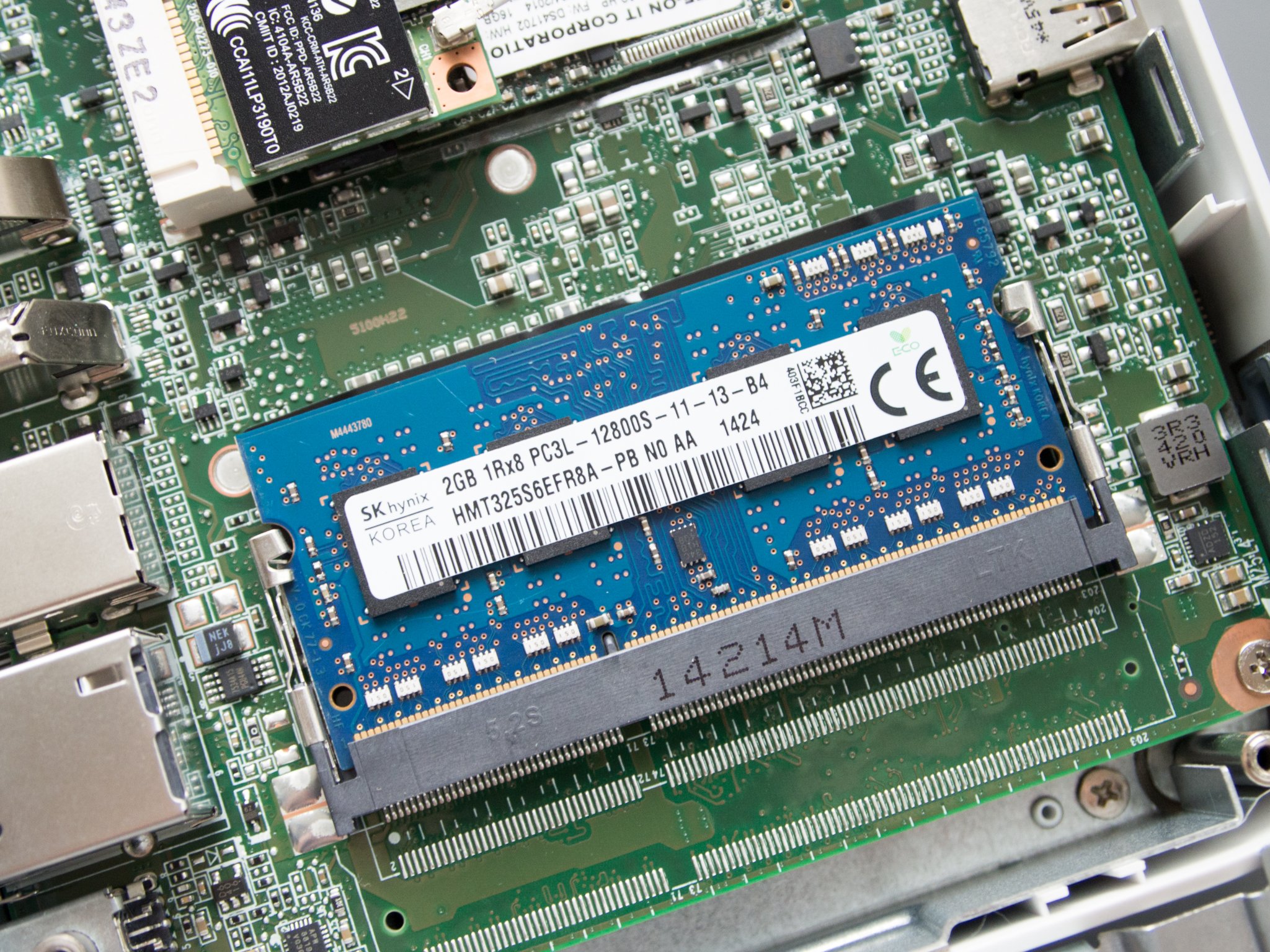
The next level of RAM requirements

2019 was the year that 2GB of RAM in a new Chromebook finally died, but there were far, far, far too few Chromebooks that launched with 8GB of RAM. More than 2018, but still not enough. Even Chromebooks with Intel m3 or i3 processors often got pinned down by 4GB of RAM, meaning that while they were just fine for the average user — and even heavier users like me — they hit their limit between 20-30 tabs, especially once you start dealing with ads and custom scripts.

And even of Chromebooks that claimed to have 8GB options when they launched, few of those are actually available: three months after launch, the 8GB models of the Lenovo C340-11 are still nowhere to be seen. The 8GB versions of the ASUS C434 took a long time to show up and an even longer time to reach a reasonable price. Most Chromebooks with 8GB of RAM under $450 are non-touch models, which you really shouldn't be buying in 2020 unless you're just 100% against touchscreens or fun.

2020 should be the year that 8GB comes closer to being the standard, especially as we start getting Chromebooks with longer lifespans.

Numpads and fingerprint scanners break out of the enterprise segment

Chromebooks with number pads on their keyboards became an actual thing in 2019, but still a rare thing you had to actively seek out on a 15.6-inch laptop. Considering that Chromebooks are made for education and enterprise, two areas where inputting sales/grades are among the most common activities, it's a wonder it's taken this long to reach this point, but we're finally here.

2019 made numpad Chromebooks a thing. 2020 should be the year that numpads become standard on 15-inch and 14-inch Chromebooks. It might end up a little narrow on some 14-inchers, but it's an addition that will immeasurably help users who are used to the functionality of a full keyboard or deal with numbers with any regularity.

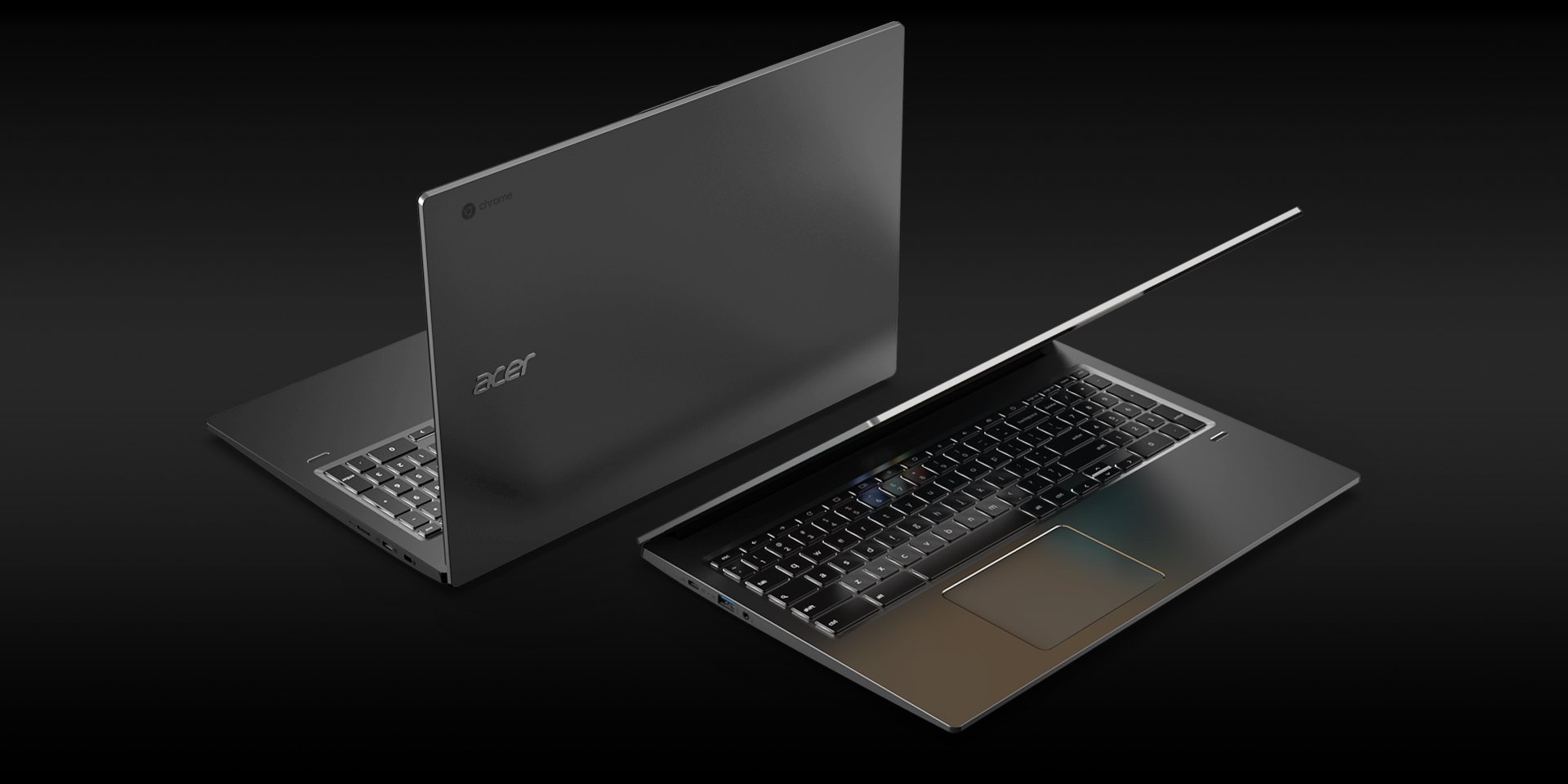
We also saw the first Chromebook with a fingerprint scanner in the Acer Chromebook 715, something else that some users would very much like to become a more common feature outside dedicated Chrome Enterprise machines. I'm less confident in fingerprint sensor gaining wide traction — especially when Smart Lock makes it easy to keep a Chromebook unlocked — but it is something that'd be great to see, especially on the next generation of Chrome OS tablets.

A new generation of tablets and detachables is on the way

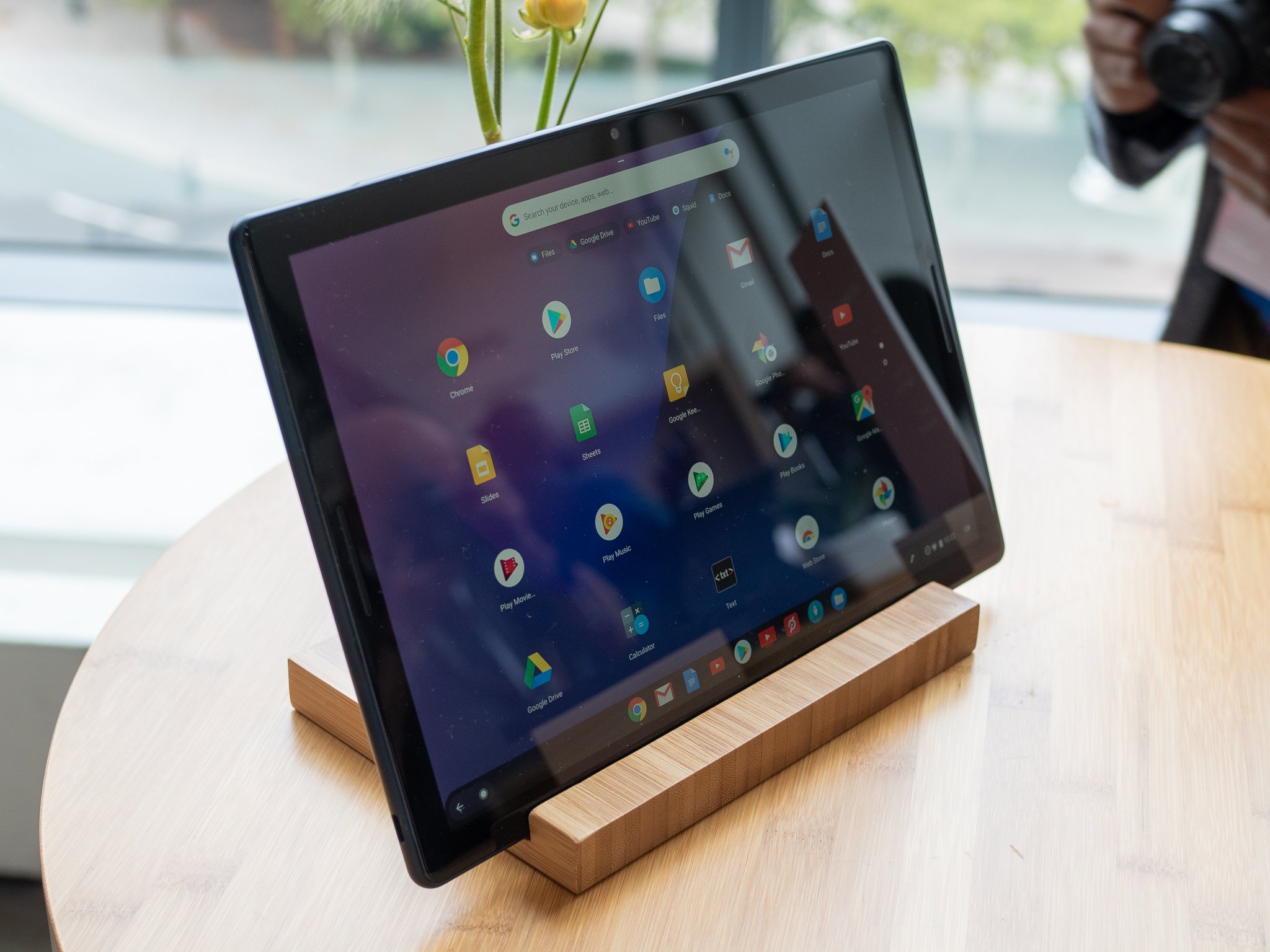
If you wanted a Chrome OS tablet or detachable in 2019, your options were pretty sparse: you had the aging HP X2, the now-discontinued Pixel Slate, or you could slum it with a bare-bones classroom-catered Chromebook Tablet. 2020 will finally give us some new options, and I'm hoping we see them in Vegas at CES or in Barcelona at MWC.

Chrome OS commits found by ChromeUnboxed have shown that at least one new Chrome Tablet is on the way from Lenovo, and I wouldn't be surprised to see a more consumer-friendly successor to its Chromebook Tab models. This is a portion of the market that Chrome is quite lacking in, and if any manfuacturers wanted to build an iPad Pro competitor, building one with Chrome OS instead of Android makes all the sense in the world, especially now that Chrome OS has better matured for tablet devices.

When the Pixel Slate debuted, Chrome OS still wasn't quite ready for tablet-only machines, but the enhancements for Chrome OS in the last few months have been further refining the experience in tablet mode, especially in regards to tab management and window management. Even more improvements are on the way in 2020.

Chromebooks continue the mainstream march

2019 was the year that Chromebooks started to pick up significantly more steam with regular people, not just Google fans and parents needing a cheap, durable computer. I've been asked for more Chromebook recommendations in the last two months by my own family members than I have in the last two years combined, and that tells me that Chromebooks are finally overcoming the reputation they held at their launch of being do-nothing Chromebooks that only work online.

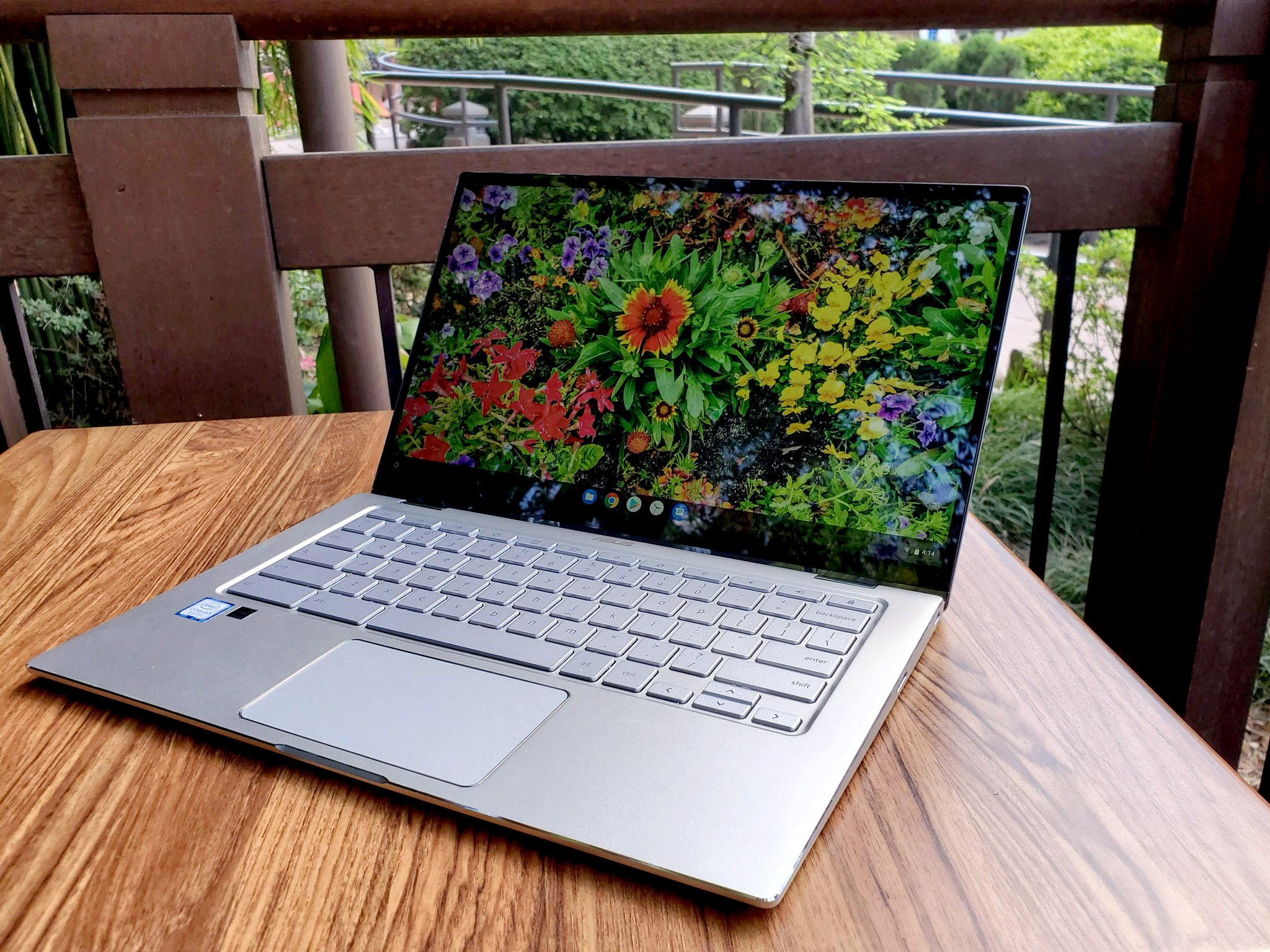
Mid-range and premium Chromebooks becoming more commonplace — like the excellent ASUS C434 has helped with changing the perception of the Chromebook ecosystem, but the biggest shift last year was in the $300 segment. In 2019, $300 Chromebooks were better that ever, from the popular Lenovo C330 to new education models like the ASUS C214 and Lenovo 300e, these laptops felt more polished and offered the right blend of power, portability, and price.

With Android apps — and Linux apps for those feeling bold — Chromebooks can now do 96% of what you'd want to do on a Windows or Mac, with the only real holdouts being hardcore gaming and video editing. This means that for most folks these days, you really can save yourself hundreds of dollars, and perhaps a few headaches, by opting for a touchscreen Chromebook over an overpriced Mac or overzealous Windows laptop.

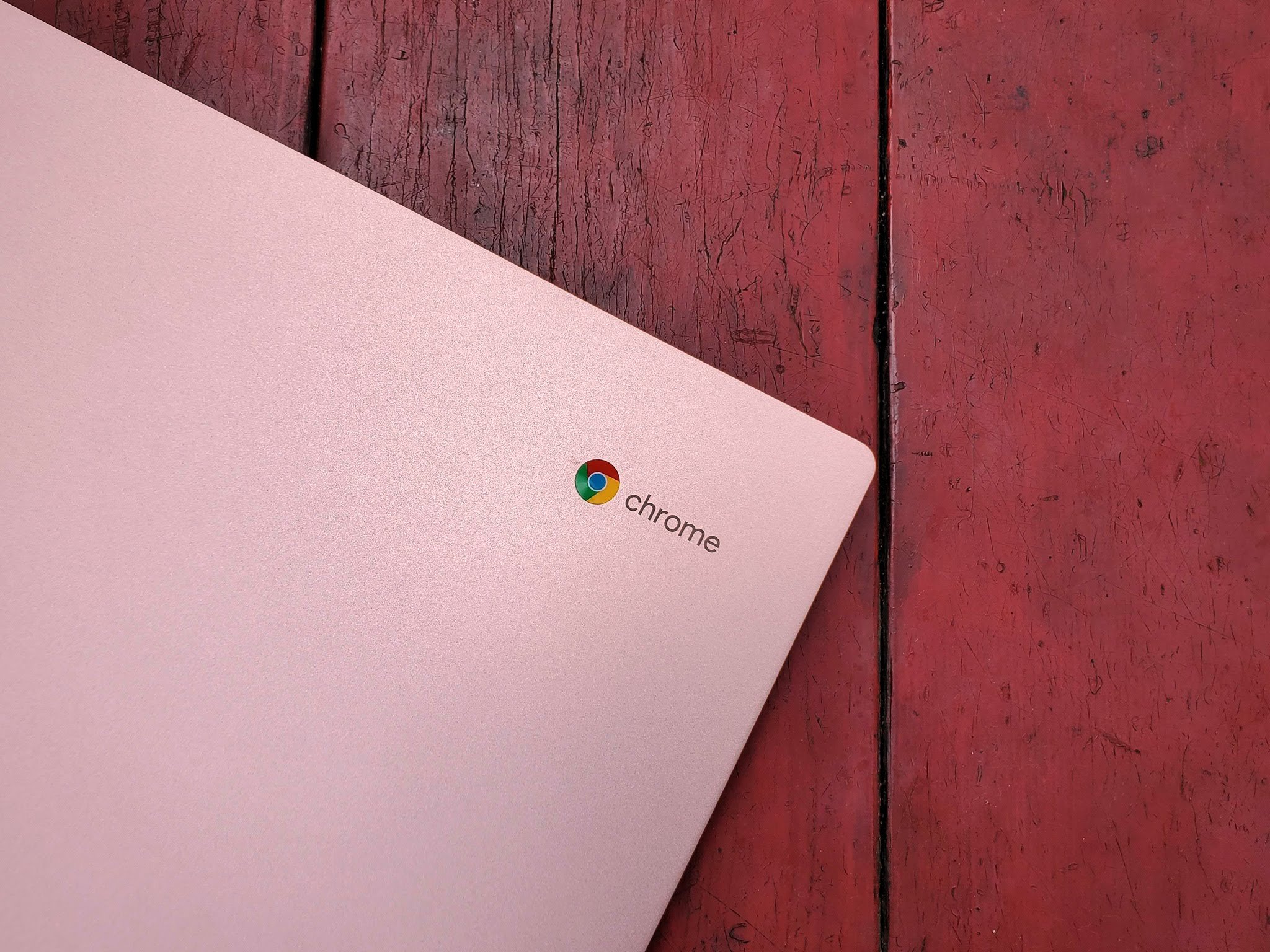
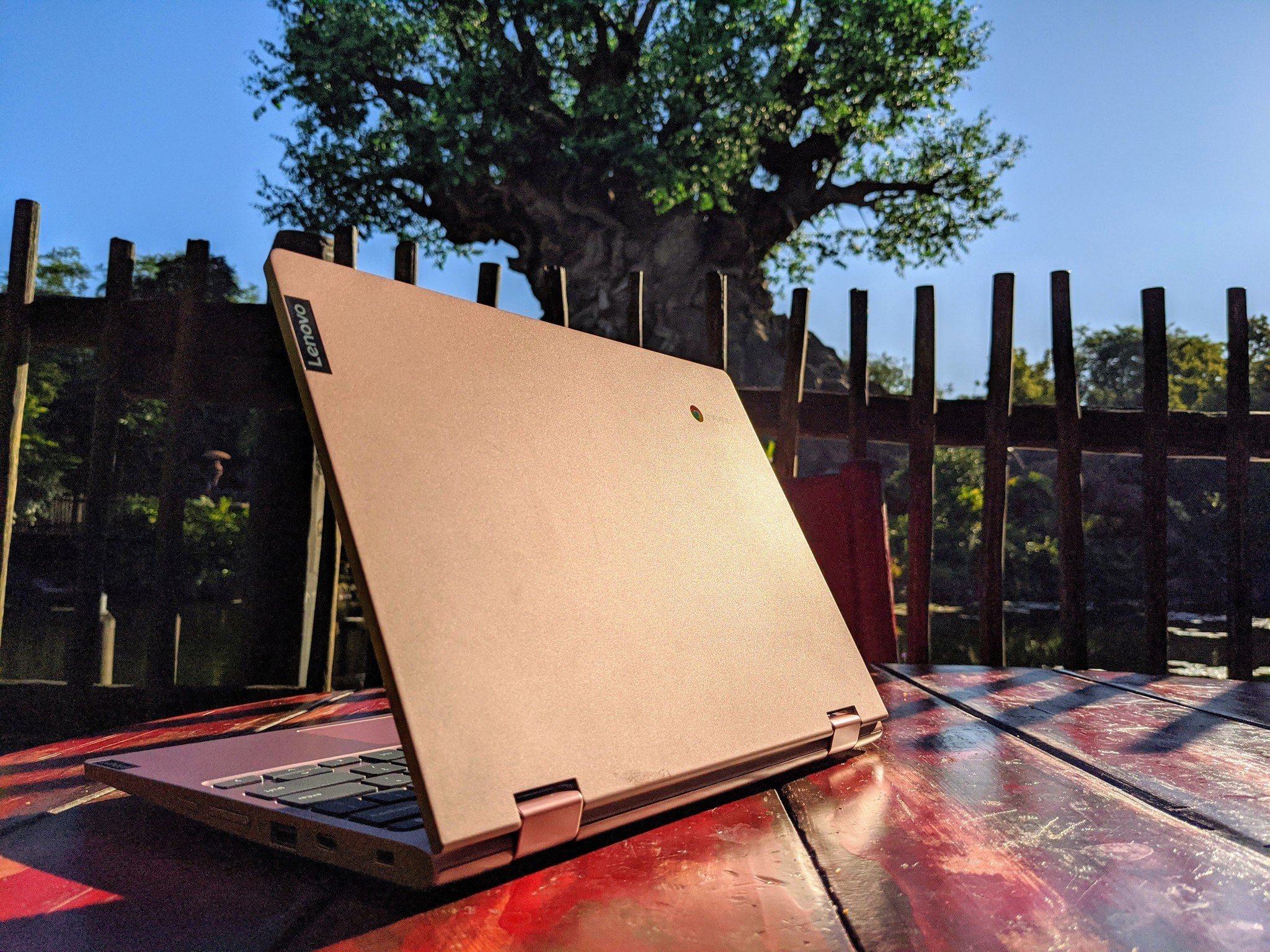
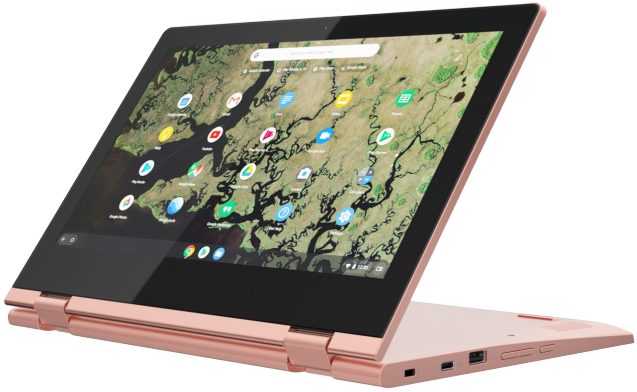
So, that's why I'm very much looking forward to a new year of Chrome hardware and software improvements in 2020. If you've been waiting to take the plunge there really is a Chromebook for everyone, but I'm still partial to my pretty pink — and pretty practical — Lenovo Chromebook C340-11, which I will be hauling to Walt Disney World for the foreseeable future.

Practical and pretty

Lenovo Chromebook C340 (11.6")

For work or play, the C340 is the run-and-gun Chromebook for you.

Durable and dependable, the C340-11 dresses up the affordable Chromebook with an aluminum lid, two shiny color options, and Lenovo's reliability.


from Android Central - Android Forums, News, Reviews, Help and Android Wallpapers https://ift.tt/36eDDxE

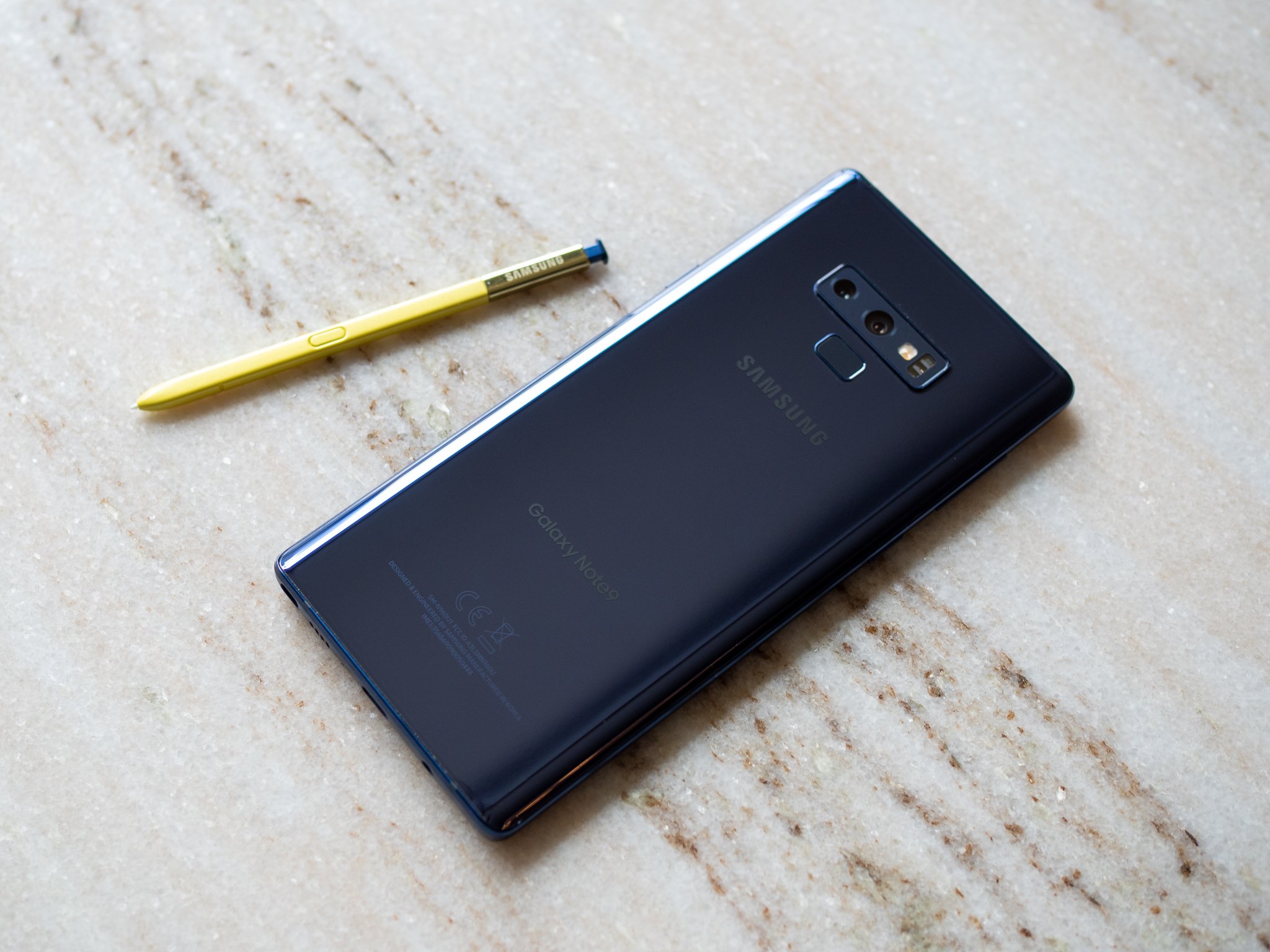
Samsung Galaxy Note 9 starts getting stable Android 10 update

Only available for beta users currently.

What you need to know

  • The stable Android 10-based One UI 2.0 beta for the Galaxy Note 9 has started rolling out.
  • Currently, the update is being rolled out only to beta users in India.
  • It is likely that the stable Android 10 update will be released for users running Android Pie within the next few days.

Just a month after opening the One UI 2.0 beta program for the Galaxy Note 9, Samsung has now started pushing the stable Android 10 update for the flagship phone. As reported by the folks over at SamMobile, the update is currently rolling out to beta users in India.

The update arrives as version N960FXXU4DSLB and weighs in at 100MB in terms of size. Weirdly, however, the update includes the December 2019 security patch instead of the January 2020 security patch that Samsung rolled out to a few Galaxy devices recently.

While the update has only been released in a single market so far, it is likely to soon begin rolling out in other markets where the Android 10 beta program was launched. If your Galaxy Note 9 is currently running the latest Android 10 beta, you can try looking for the stable update manually by opening the Settings app and going to Software update > Download and install.

Get More Galaxy Note 10

Samsung Galaxy Note 10/10+

Galaxy Note 10 ($950 at Amazon) Galaxy Note 10+ ($1100 at Amazon)


from Android Central - Android Forums, News, Reviews, Help and Android Wallpapers https://ift.tt/36eNfbE

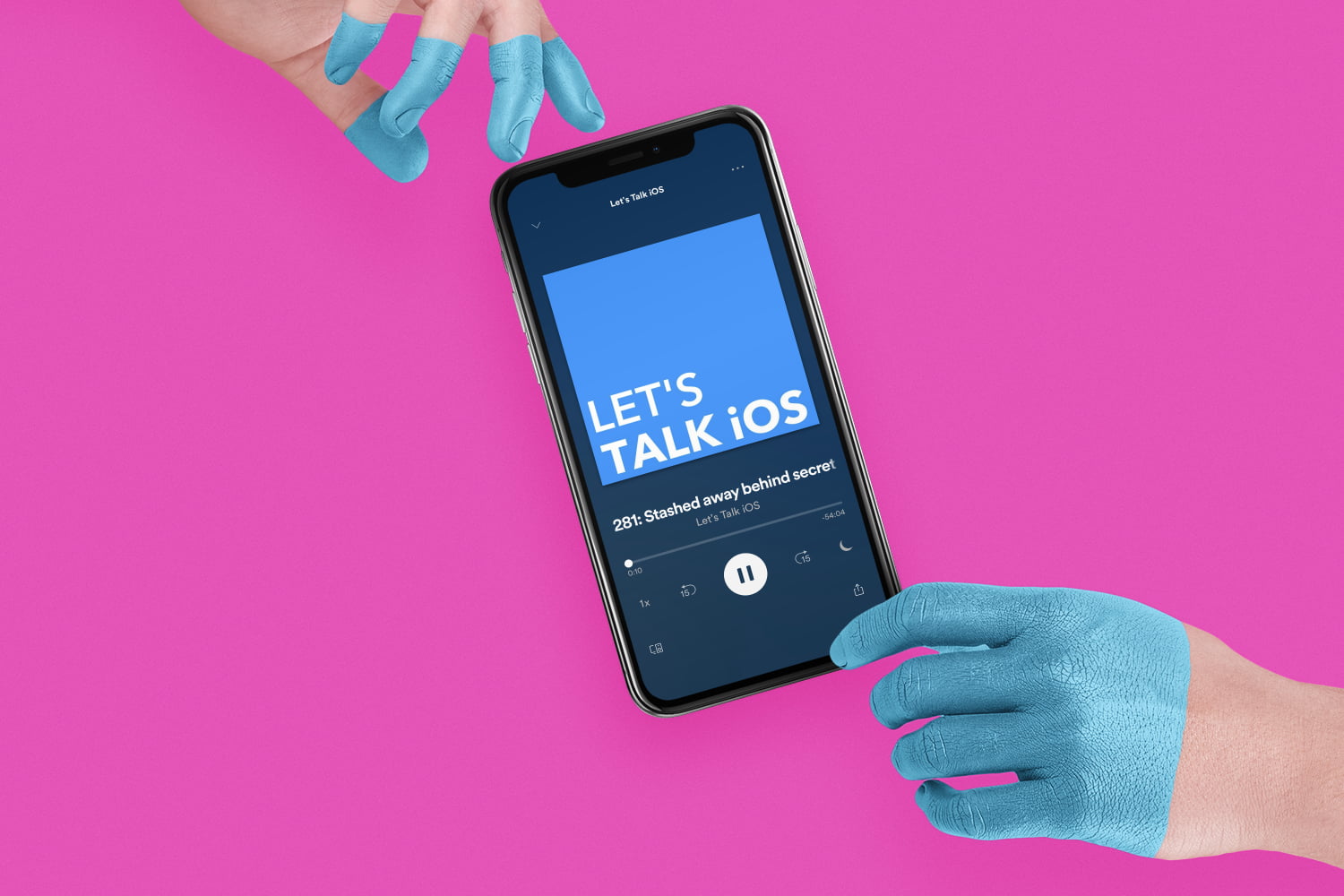
Let’s Talk iOS 324: What we want to see from Apple in 2020

Cody and Sebastien share what they want to see from Apple in 2020. Covering a broad spectrum, they highlight realistic hardware, software, and services Apple could launch or improve on in the year to come.

from iDownloadBlog.com https://ift.tt/2MHwfmK

Vodafone to donate books to UK schools to encourage social media kindness

A really great gesture to end the year.

What you need to know

  • Vodafone has announced it will donate a copy of #Goldilocks to every UK primary (elementary) school in the UK.
  • #Goldilocks is an updated fairytale that helps to educate young children about social media, especially the need to be kind.
  • It was originally released in December of 2018 to very positive feedback.

UK carrier Vodafone has announced it will donate a copy of its #Goldilocks story to every primary (elementary) school in the UK.

By way of a press release, Vodafone announced that every primary school in the UK will receive a copy of #Goldilocks, to help start conversations about responsible social media use amongst young children. The release states:

Vodafone will deliver a copy of #Goldilocks, a book written to help parents and children talk about social media and how to use it responsibly, to every primary school in the UK.

Over 20,000 copies of the book will be sent to schools as a resource to encourage conversations about the importance of being kind to others when using social media.

The story is based on the original Goldilocks story and was reimagined by award-winning author Jeanne Willis and illustrator Tony Ross. It was originally released last year as part of the launch of Vodafone's Digital Parenting website, a guide for parents on digital safety and wellbeing. The positive feedback and a government-issued paper about online harm have spurred Vodafone to give the book to over 20,000 schools in the UK.

Vodafone research from 2018 showed that many young children are aware and use social media, some 48% of them being aware by the age of seven.

You can read the full release here. It's really encouraging to see a carrier like Vodafone take a step to help educate children not simply on the dangers of social media, but rather actively encouraging them to use it as a power for good.


from Android Central - Android Forums, News, Reviews, Help and Android Wallpapers https://ift.tt/2u7klw9